With so many AI products to choose from, all promising time savings and higher productivity, it’s easy to get lost in the marketing hype and overlook the actual user experience and feature set.
As you choose the right software for you, it can be hard to understand which platforms will fit your work like a glove, and which will turn out to be too pricey and difficult to implement.
Microsoft Copilot Studio is the tech giant’s answer to increasing productivity using an end-to-end conversational AI experience, with most use cases revolving around the chatbot.
We’ll be comparing it to StackAI, an enterprise-grade generative AI workflow automation tool. StackAI is leading the way in AI no-code development, and is a strong alternative to Copilot Studio.
Quick TL;DR: Copilot Studio vs StackAI
StackAI | Copilot Studio | |
|---|---|---|
Visual builder | ✅ | ✅ |
Granular and custom role-based access control | ✅ | ❌ |
Agentic Development Life Cycle | ✅ | ❌ |
AI-assisted agent building | ✅ | ❌ |
Advanced RAG system | ✅ | ❌ |
Pre-built interfaces | ✅ | ❌ |
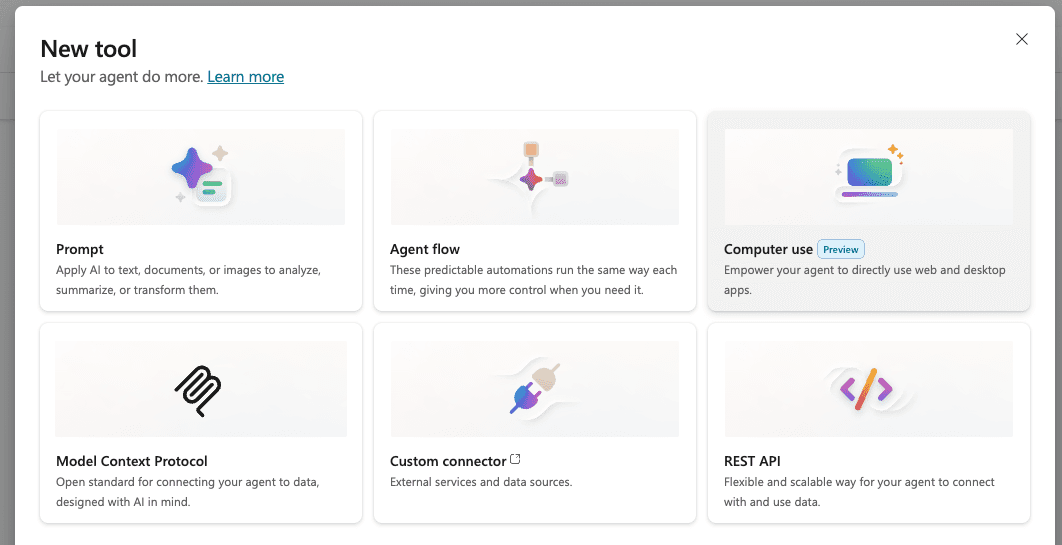
Computer and browser use | ✅ | ❌ Offered only as a non-functional "preview" |
Minimal setup required | ✅ | ❌ |
Variety of AI models | ✅ | ❌ |
Connection with Microsoft knowledge bases (i.e., Sharepoint) | ✅ | ✅ |
Connection with other knowledge bases (i.e., GDrive, S3, Confluence) | ✅ | ❌ |
Performance monitoring | ✅ | ✅ |
Built-in agent evaluation | ✅ | ❌ |
Guardrails and PII | ✅ | ✅ |
SOC2, HIPAA, ISO, GDPR | ✅ | ✅ |
Platform Approach
Copilot Studio: A focus on simple automations within the Microsoft Office Suite
Microsoft Copilot Studio begins and ends in the conversational experience and focuses on a few key use cases:
Extending the baseline Microsoft Copilot assistant, letting you train your own chatbot to assist you in other Microsoft 365 apps. For example, if you want your Copilot for Word to be a specialist in your industry, Copilot Studio is where you’ll set that up.
Creating basic chatbots grounded on publicly available websites or previously-uploaded Microsoft-hosted knowledge, with the capacity of triggering actions in other systems if it detects the appropriate intent when chatting. See below for examples of featured templates, all of which are simple chatbots over available information:
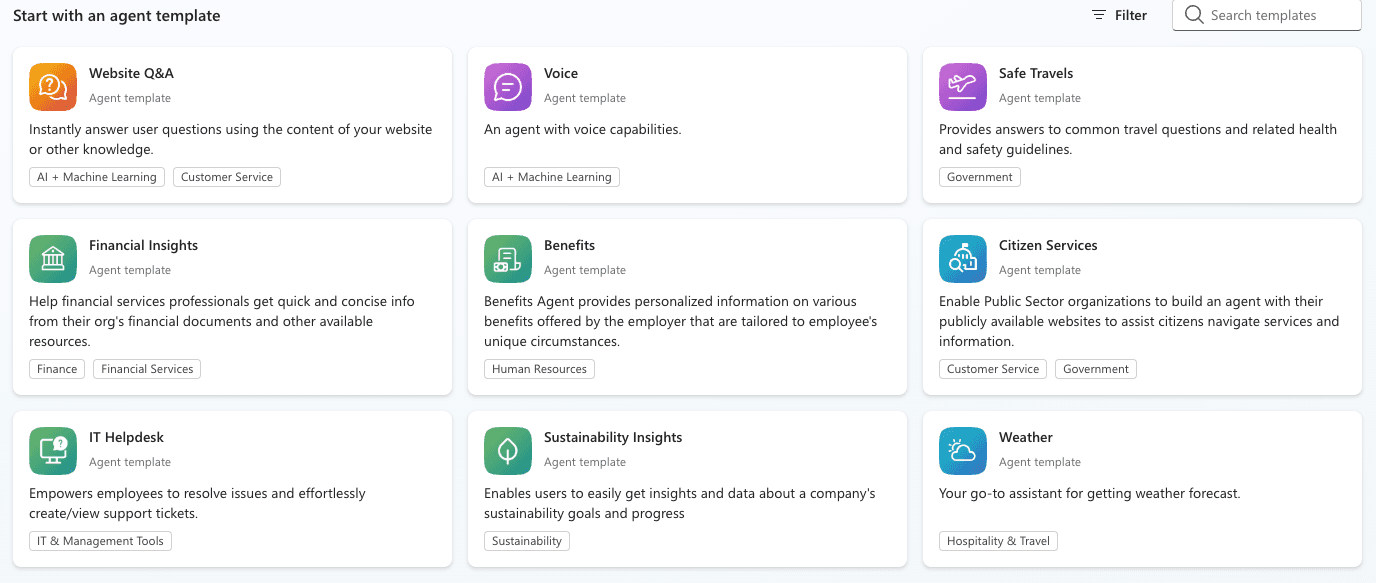
While this chat-centric experience can solve many productivity and information problems, it’s not the best match for every enterprise workflow.
StackAI: A platform to build AI agents beyond chatbots
StackAI is much more flexible and the best alternative: though it can do everything that Microsoft Copilot Studio can do, it also can support many other, more complex use cases.
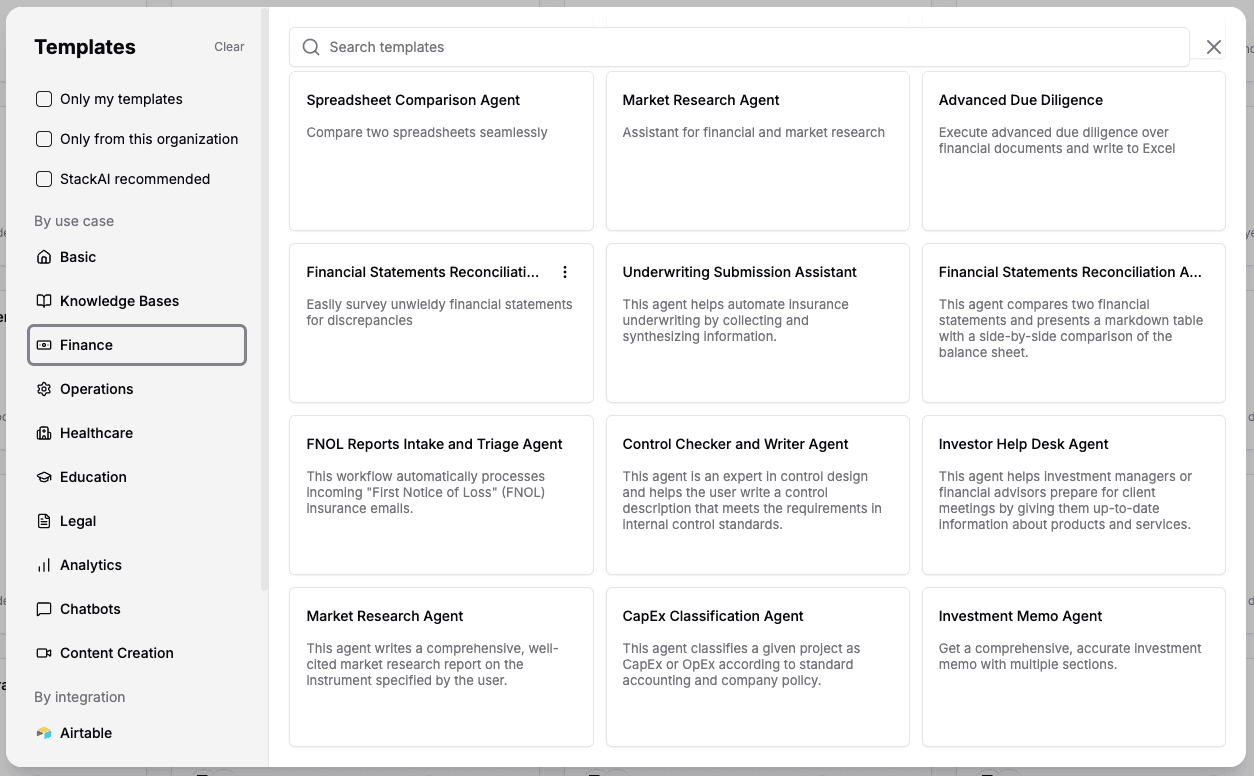
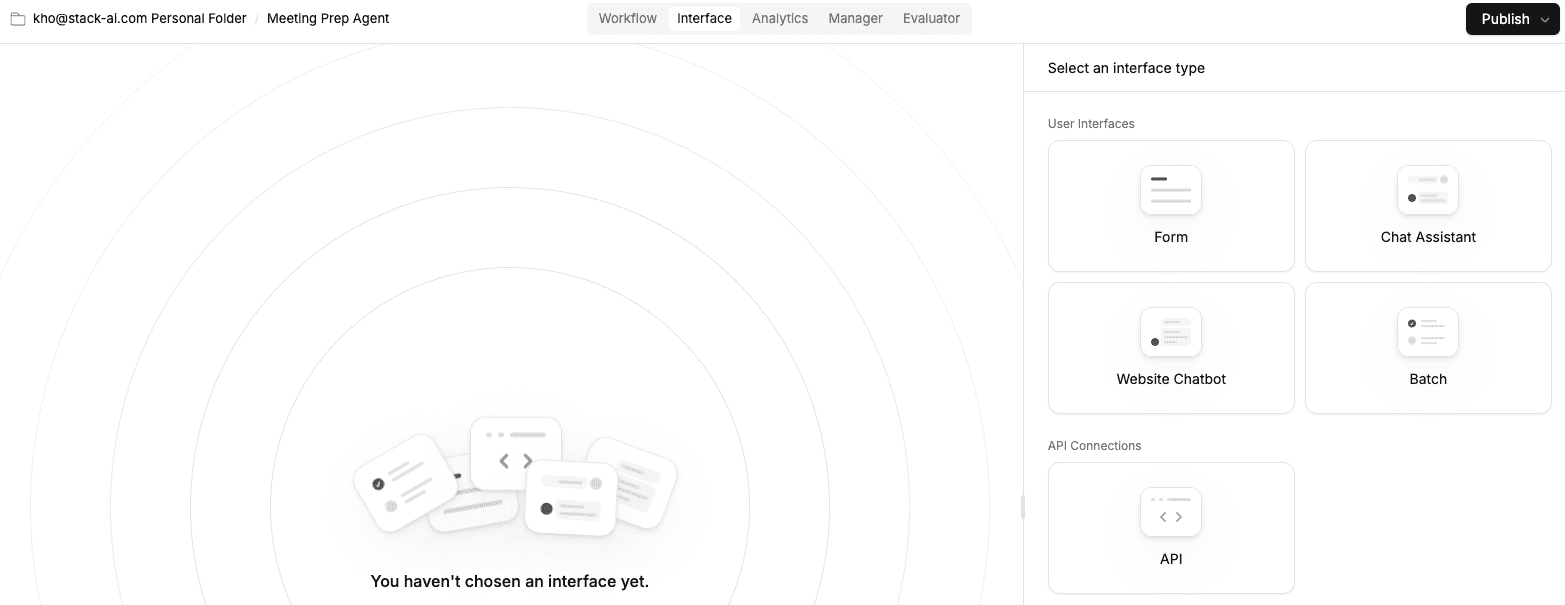
As far as interfaces go, StackAI offers standard chatbots, website chatbots, batch processing, advanced forms, Slack, SMS and Teams integrations for all your conversational needs. Any time you interact with your agentic workflow, the project you configured will run to answer questions based on your data, interact with internal systems and make routing decisions if necessary.
User Experience
Copilot Studio: A menu and a linear step-by-step interface
Each new agent in Copilot studio starts the same way. You can type in a prompt to customize the flow, which is a good time-saver when compared with starting from scratch. The range of actions you can run is varied, letting you pull information and control other systems from the chat window. But all of these have a linear nature within the question/response loop between the bot and the user. Building an agent looks much more like Zapier, with strict step-by-step, top-down rule-based actions.
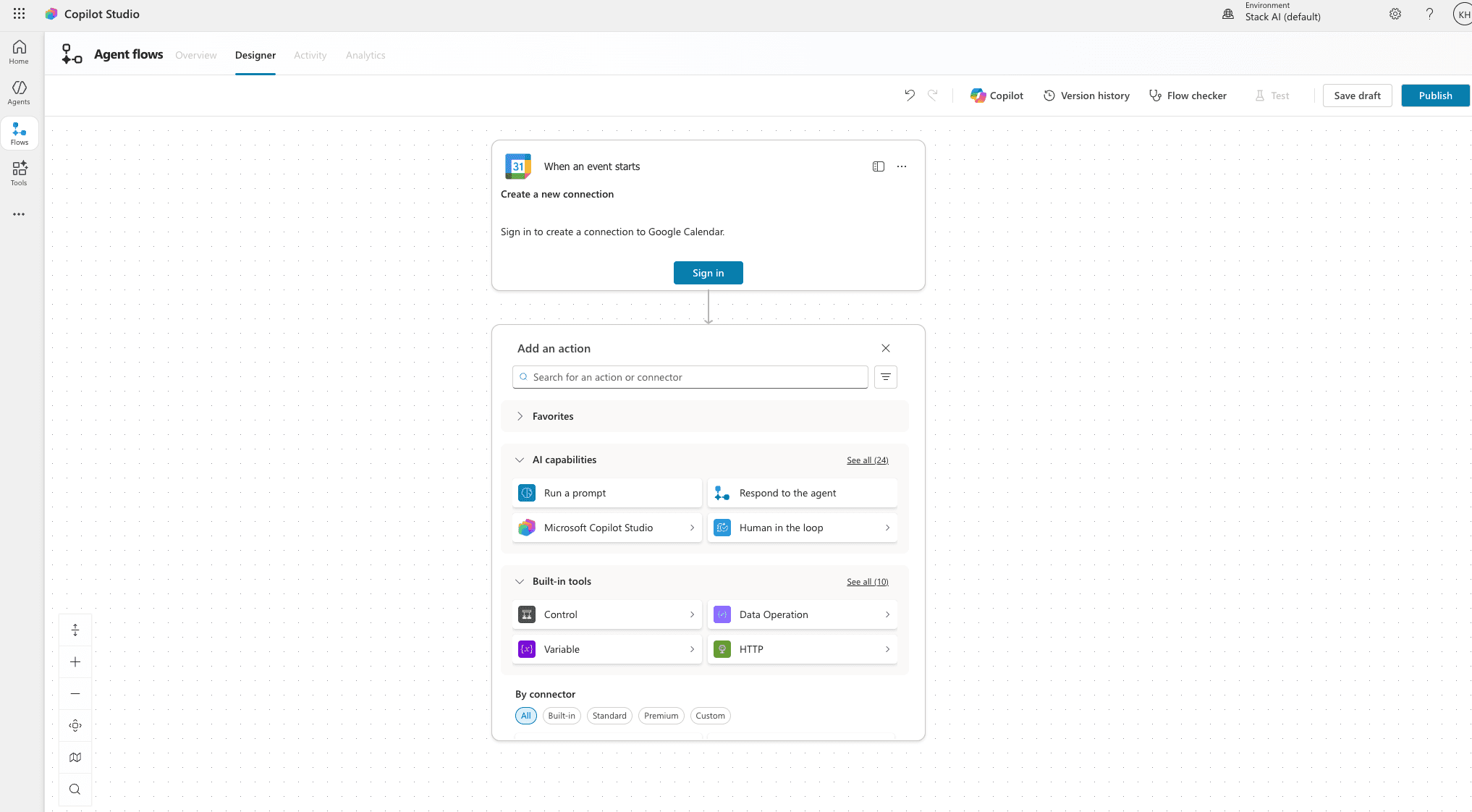
Microsoft’s software user experience design philosophy has deep roots, stretching back to the earliest days of Windows GUIs. Copilot Studio's interface quickly grows heavy with overwhelming menus and multiple sub-items. The deeper you go, more obscure terminology can pop up. Building feels laborious and intensive, rather than seamless and straightforward.
StackAI: An enterprise AI platform that everyone can use
StackAI was developed from the ground up around the canvas experience. Every input, output and LLM is a node that you can drag, drop and connect in any way. Configuring these individual nodes is easy and intuitive.
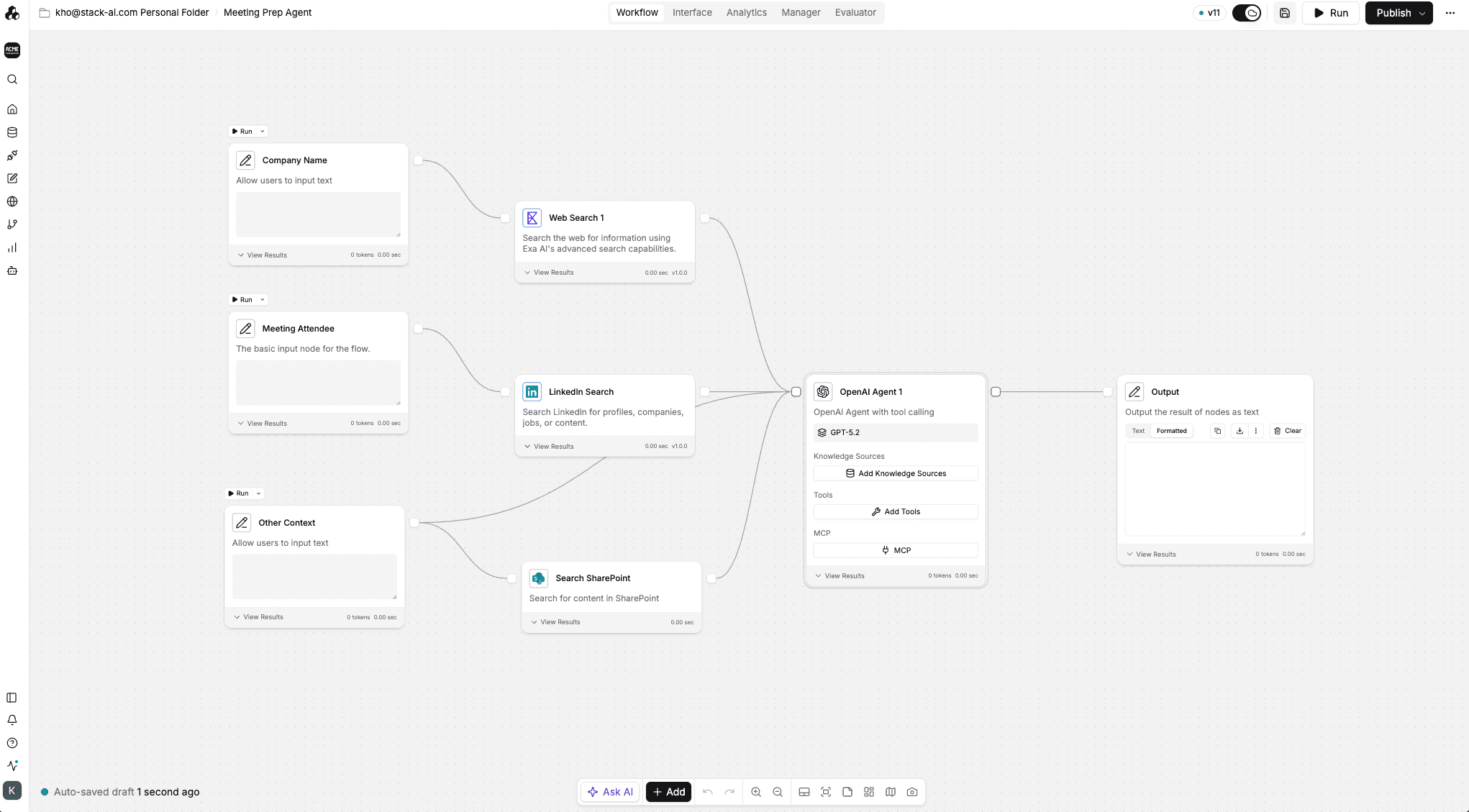
When you click "Run," you can see each node fire and work together to reach the end of the flow. This gives an intuitive view of how actions happen, how data is processed and how it comes together in the output window. This keeps the learning curve shallow and facilitates troubleshooting.
Integrations
Copilot Studio: Centralized around the Microsoft ecosystem
Copilot Studio offers a limited number of integrations to Microsoft-native data sources, mainly to SharePoint, public websites, and Dataverse.
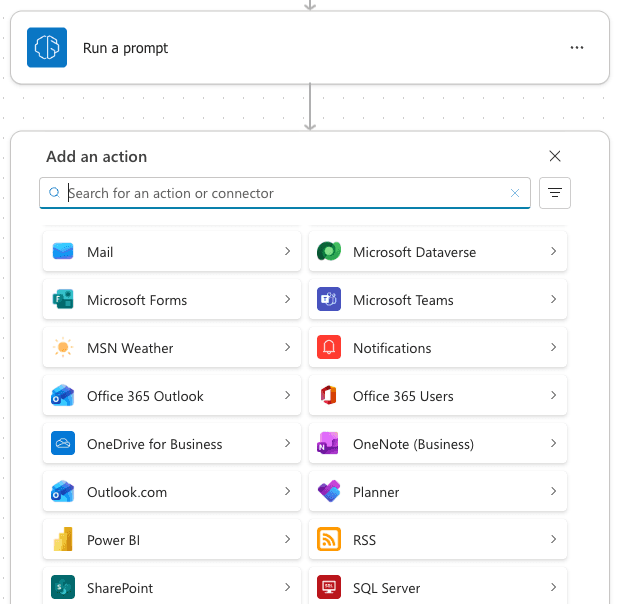
If you’re a Google Workspace user or run your infrastructure on other cloud providers such as AWS, you’ll have to use individual data connections to integrate your systems.
StackAI: works across software ecosystems
On the contrary, Stack AI is an alternative built for integrating with other apps, giving no preference to any ecosystem or suite. It offers robust connectors to popular apps in the Microsoft, Google and Amazon offering, as well as SaaS giants like HubSpot, Salesforce, and SAP, among many others.
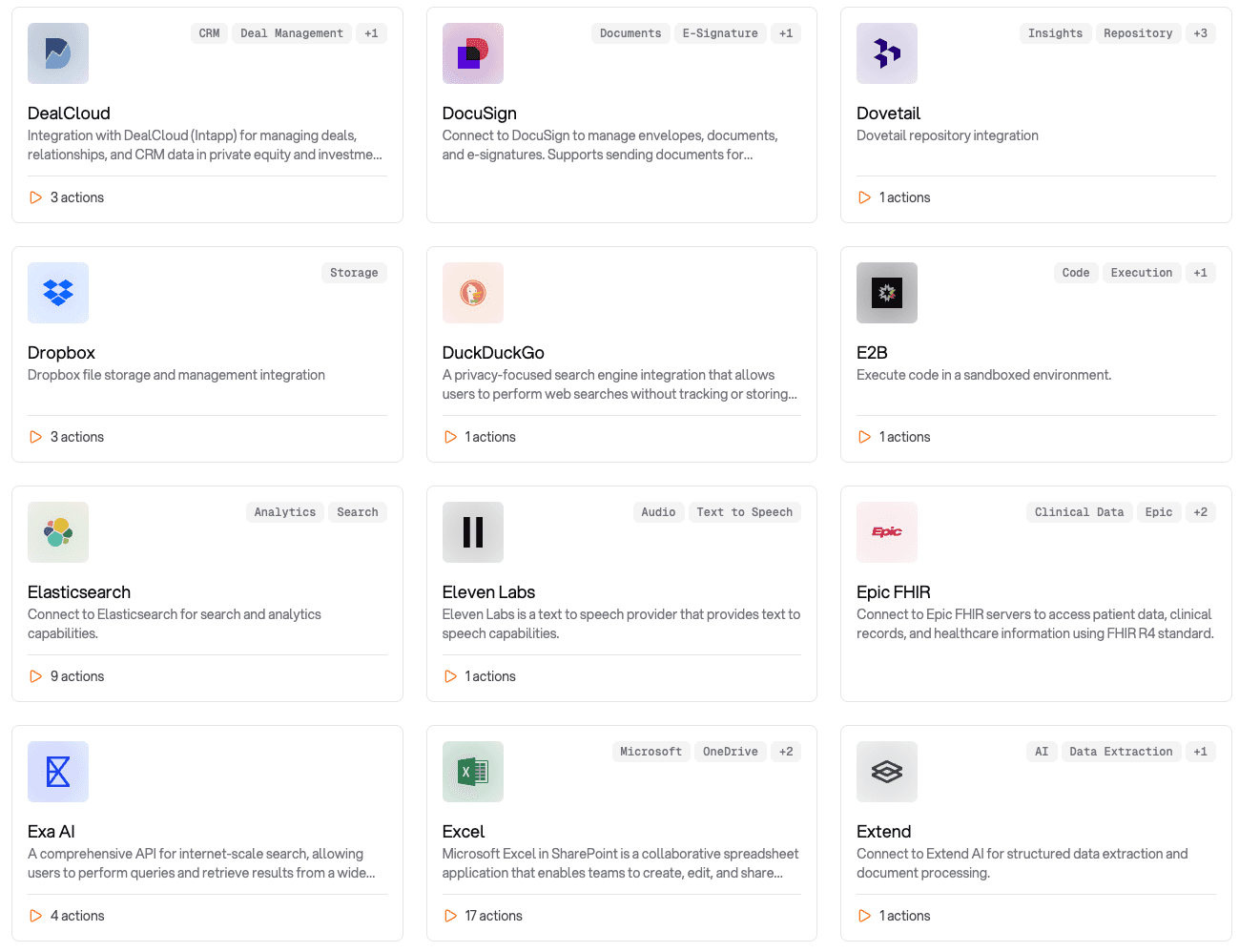
For niche apps and custom systems, API connectors are also available. The integration process is simple, as you only have to find the credentials, keys or account details for each third-party platform and set them up in the StackAI Connections screen.
AI models
Copilot Studio: Extremely Limited OpenAI and Anthropic options
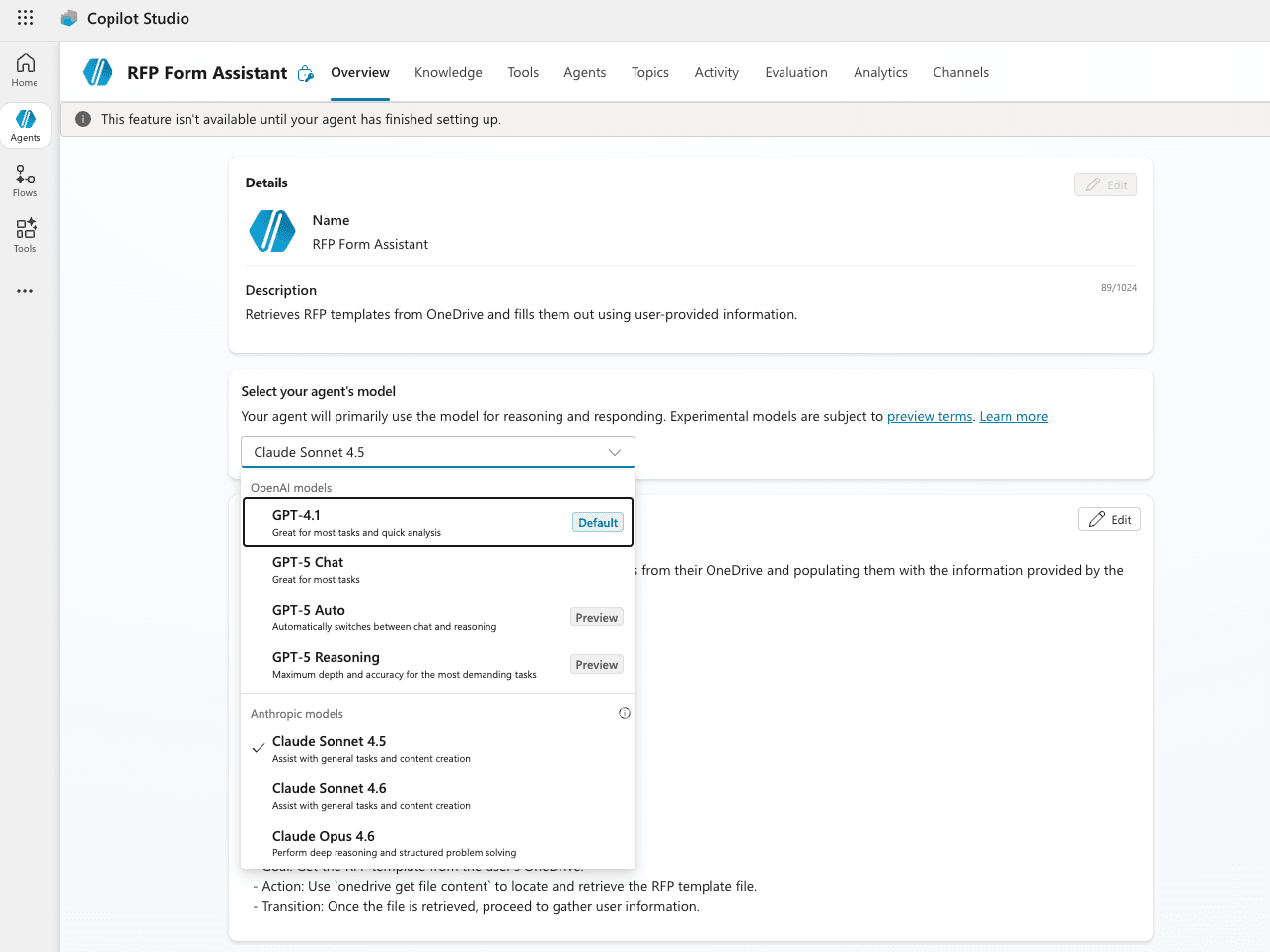
Microsoft uses natural language processing in tandem with OpenAI’s and Anthropic models to power the chatbot experience. These are the only two LLM providers on the platform, severely limiting users' abilities to customize agents for specific use cases. Further, the models offered do not appear to be the most recent or updated models at the time of writing.
StackAI: Access to all leading LLMs
StackAI provides all OpenAI models, including GPT 5.2 and beyond, which Copilot Studio has yet to offer as an option, as well as Anthropic's Claude and Google's Gemini. But that’s not all: you can use Meta’s Llama, Mistral’s efficient model family and even XAI’s Grok, among others. These providers are continuously updated to include the most recent and advanced model they've developed.
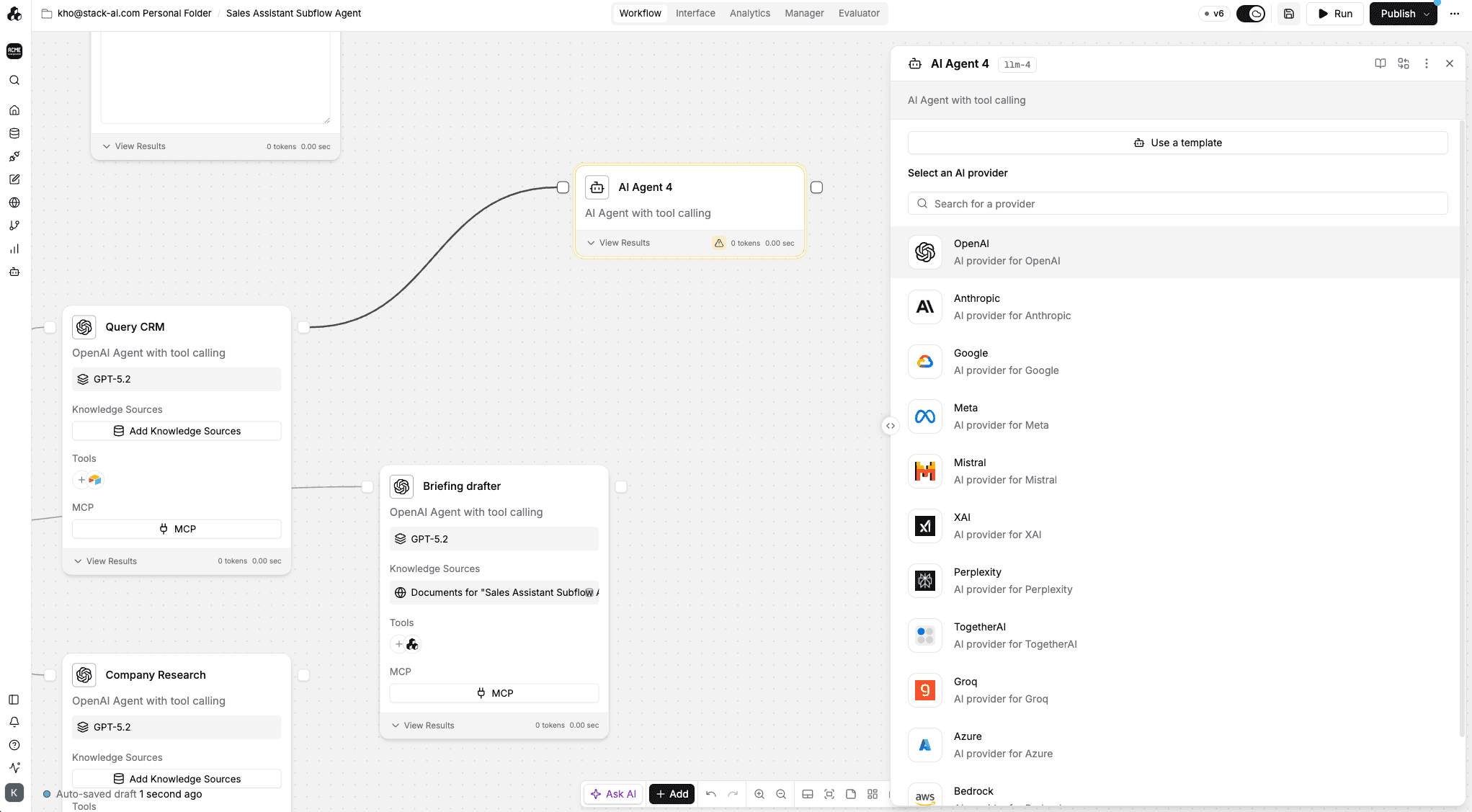
You can balance reasoning, conversational memory, inference speed or customization based on workflow needs. Different workflows work best with different LLMs. StackAI's goal is to provide maximum flexibility and optionality, no vendor lock-in in sight.
Building Features
Copilot Studio: Lacking computer use; extremely buggy
Copilot Studio does not appear to offer advanced features like AI routing, custom logic, and importantly, has no functioning capability for computer use or browser use — two developments that make agents capable of working just like humans do.
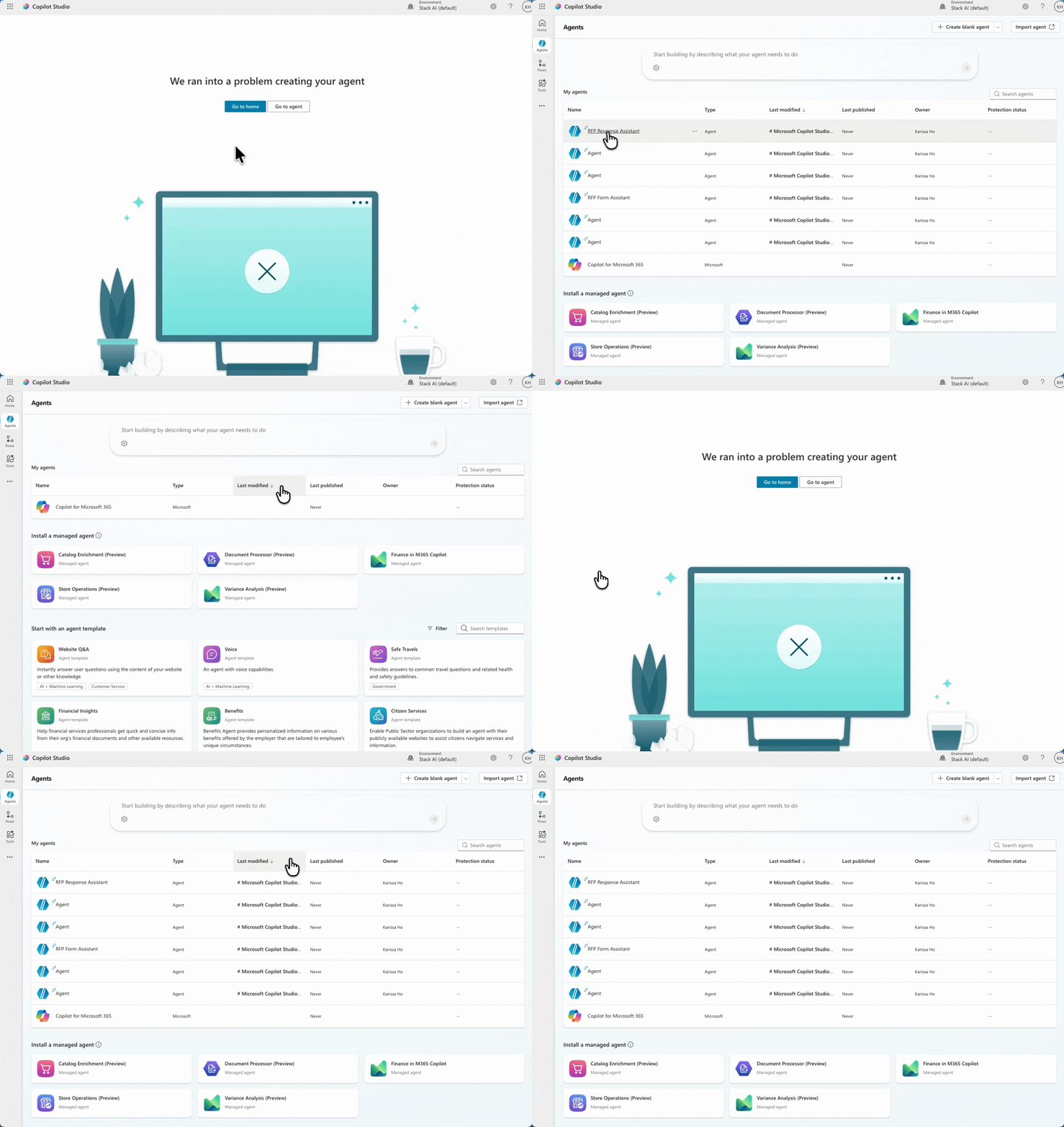
As our reviewers were testing Copilot Studio, though they attempted many times to create a workflow with the chat assistant, Copilot Studio was unable to successfully bring them to a complete workflow.
StackAI: Cutting-edge AI capabilities
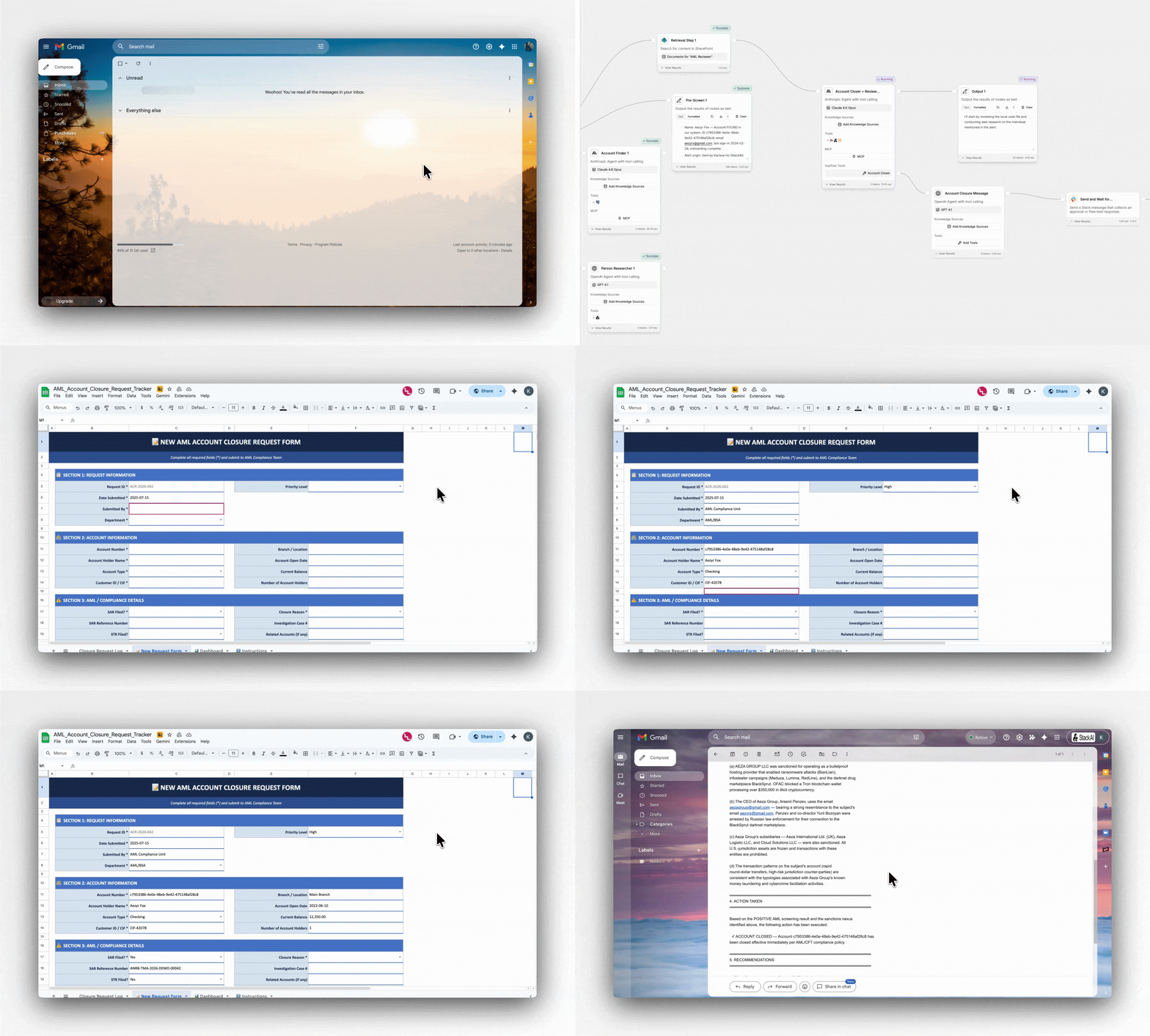
StackAI offers a number of advanced and up-to-date capabilities, including Human-in-the-Loop, computer use and browser use, which allow agentic workflows to operate across your apps, files, systems, and legacy enterprise interfaces to fill out forms and take actions just like human employees do.
StackAI also offers complete governance, including customizable granular RBAC, project-level controls, global analytics, and the Agentic Life Cycle Development Suite, a set of tools to help enterprises scale AI across hundreds of users and teams without compromising on security.
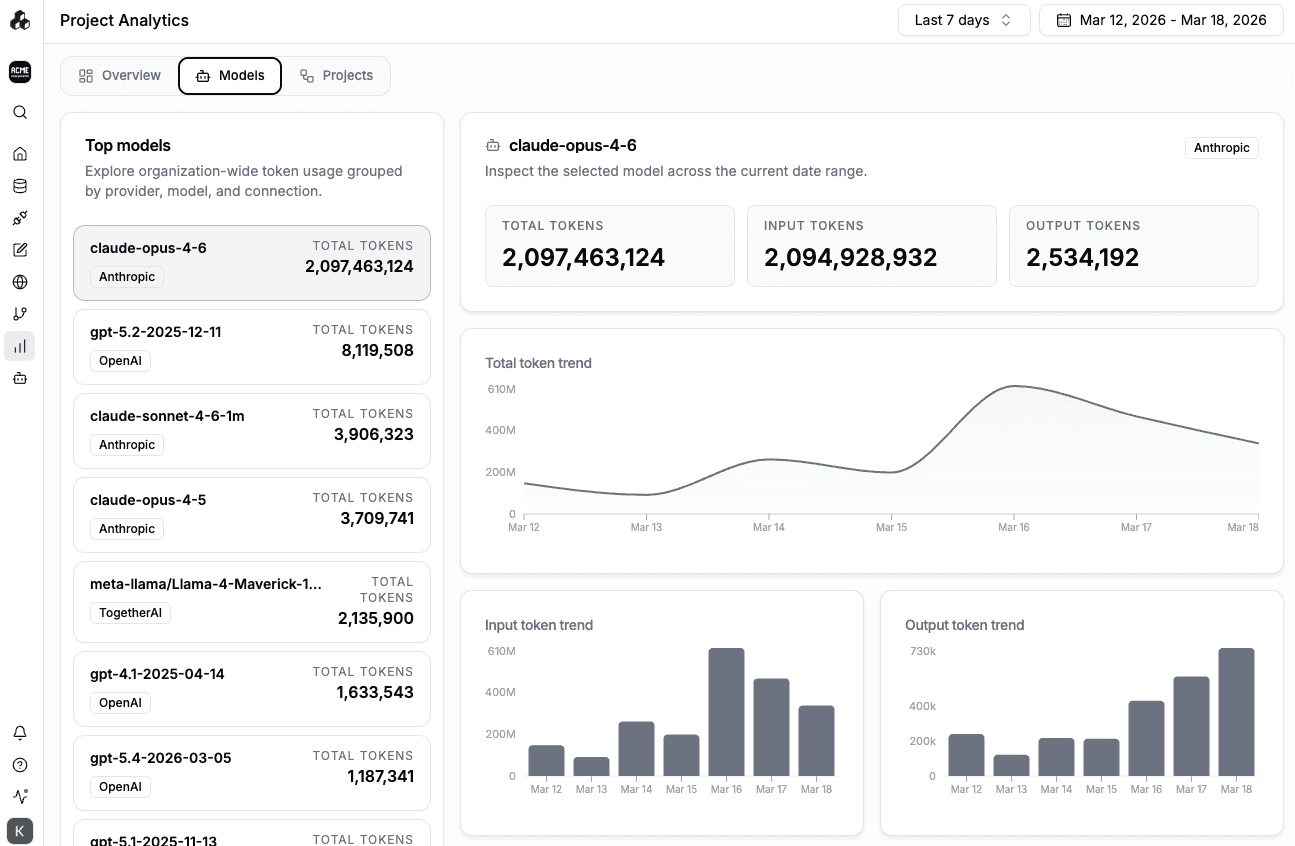
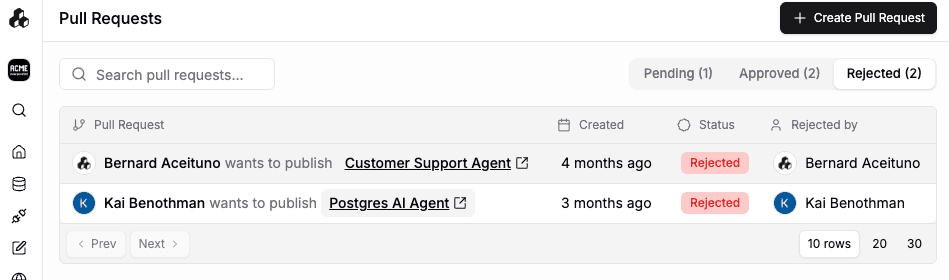
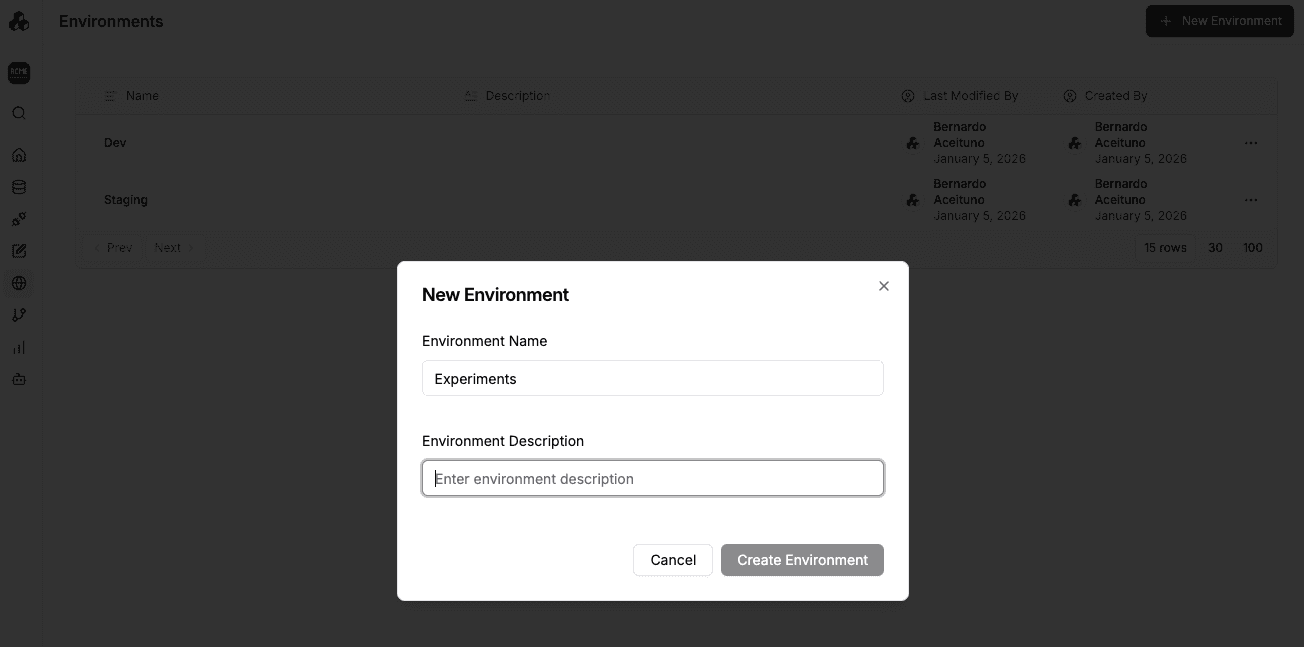
ADLC borrows from traditional software life cycle development techniques, giving enterprises the ability to create pull requests and approval workflows, test agents in different and distinct environments, and more. For a complete overview of ADLC, see this guide.
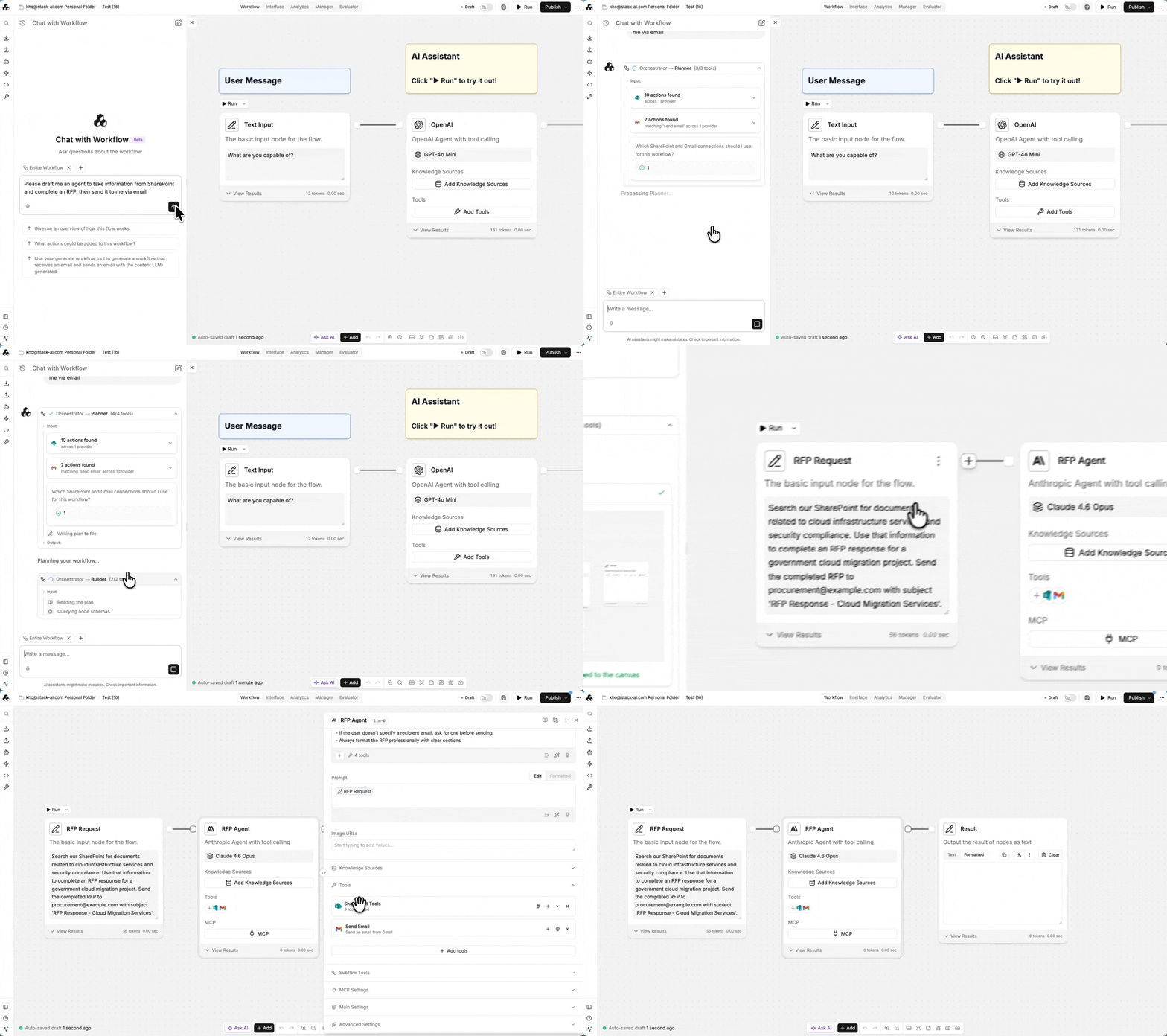
StackAI also offers seamless AI-assisted building via the Auto Agents Suite that can help jump-start projects by drafting complete workflows, including connections to SharePoint, Email, and other tools.
Implementation
Copilot Studio: Part of Microsoft 365
If you want to accelerate AI adoption across departments, the process of integrating Copilot Studio can quickly become complex, especially when each team has to navigate account setup and requirements on their own. Copilot Studio features rely on other Microsoft products such as:
Graph, for a unified API connector, streamlining external data sync.
Dataverse, for long-term data storage and management.
Power Automate, for creating comprehensive automations across apps using the chatbot.
Power Apps, for custom connections
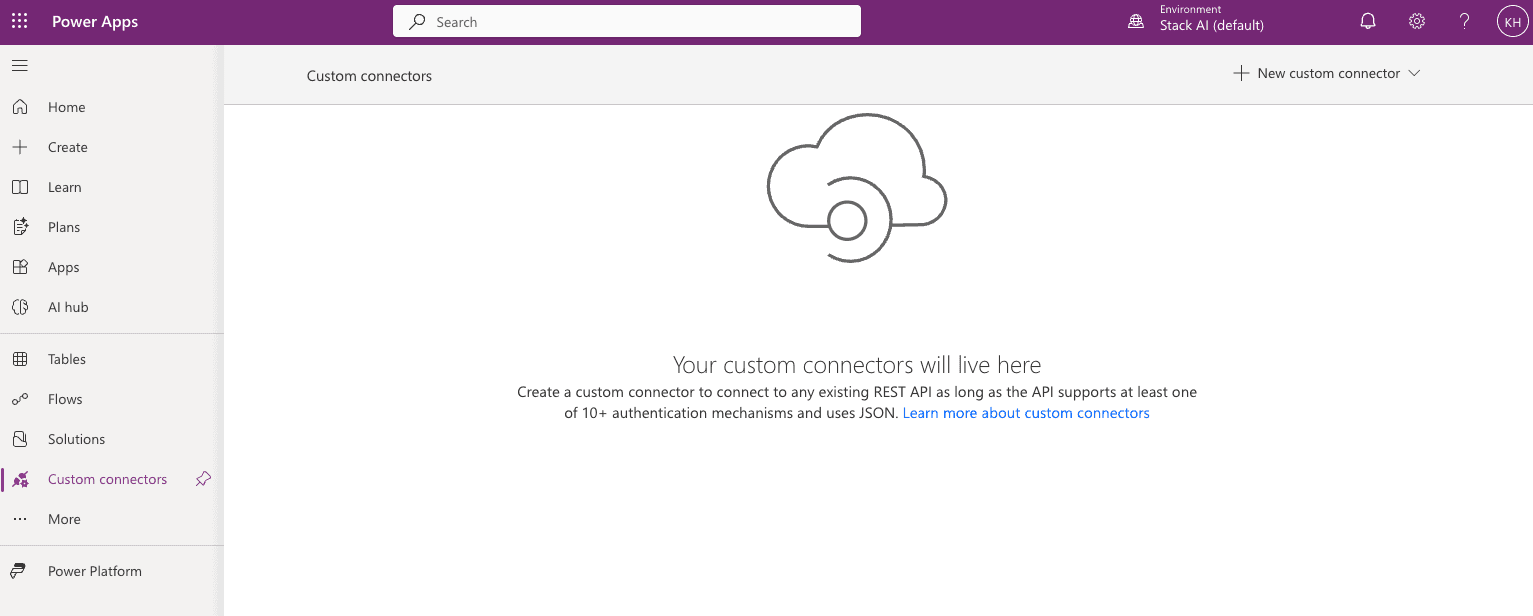
This means that, even when you buy Copilot Studio, there are extra costs on the horizon if you’d like to take full advantage of everything it can do.
Finally, you will likely need an integration of the likes of Accenture, PWC, or smaller consulting boutiques to build and deploy the assistants.
StackAI: Full-featured standalone solution
For Enterprise customers, StackAI offers an easy-to-understand plan which includes:
Custom number of runs
Custom number of users
Rigorous governance and security
Virtual Private Cloud or on-premise/air-gapped deployment
Dedicated building and planning support from AI experts (Forward-Deployed Engineers and AI Strategists)
StackAI is the best option for ensuring predictable costs as your needs grow and as AI scales across the enterprise. All features are included, with no hidden fees.
Support and Development
Copilot Studio: A less tailored approach
While Microsoft is moving in the AI space, it has a wider customer base to cater to, which means:
The iteration cycles for new features can be longer due to long approval processes
Microsoft is building for a wide audience, which means that some features may be watered down and advanced, frontier abilities take much longer to develop
Only the highest paying clients may have a bearing on overall development direction—usually multi-million dollar companies with huge software contracts
StackAI: More than support
StackAI believes that customers are partners. Dedicated support teams provide weekly building sessions and guide strategic planning for a complete white-glove experience. Take advantage of office hours with solution engineers, workshops, onboarding sessions and quarterly business reviews, all tailored to help enterprises get the fastest time to value with AI.
StackAI is built with a user-first approach, allowing you to suggest new features and integrations, which are carefully considered in our development planning process. You can ask questions and receive support as you develop your AI roadmap.
Microsoft Copilot Studio and StackAI: Which is better?
Microsoft Copilot Studio | Stack AI | |
|---|---|---|
What is it? | An end-to-end AI agent and conversational AI building platform. | Enterprise-grade AI workflow automation platform. |
User experience | Menu-driven, step-by-step workflow building experience. | Visual drag, drop and connect experience. |
AI model availability | Limited OpenAI and Anthropic models. | All major providers (OpenAI, Google, Anthropic, etc), including open source. |
Integrations | Primarily Microsoft Ecosystem (e.g., Sharepoint, Dataverse) | Connects with popular data sources across ecosystems: Microsoft, Google, Amazon, Salesforce, HubSpot, Zapier, among others. API available. |
Data privacy and security | Enterprise-grade security, including data loss prevention, auditing and governance tools. Wide range of certifications including HIPAA and GDPR. | Enterprise-grade security, including SOC2, GDPR and HIPAA compliance. Data protection addendums (DPA) with OpenAI and Anthropic. |
Pricing | Starts at $200 for 25,000 messages. Other Microsoft subscriptions may be required. Professional services priced separately. | Free plan available. Single subscription model. Dedicated support included in Enterprise plan at no extra cost |
Microsoft Copilot Studio focuses on the chat experience, adding AI elements that increase its flexibility and interactivity with other systems. It does this using the trademark Microsoft software development philosophy, and strictly works with basic LLMs to offer intelligent conversational experiences in the Microsoft 365 suite and in other apps via native integrations and others via Microsoft Graph.
StackAI is the trusted enterprise alternative, providing a variety of user experiences to interact with AI. Easily build workflows using a visual drag, drop and connect experience, intuitively configuring all the settings in each node. The wide range of integrations for data input, connections to all leading LLMs, AI-assisted building, and advanced workflow features mean that enterprises can transform their operations with AI faster than ever.
Get a personalized demo with our team of AI experts today.

Karissa Ho
Growth at StackAI





