In 2026, it’s expected that AI systems do more than just answer questions. After the progress made over the last few years, we now expect AI to support real work.
Things like:
finding the latest documentation update and actually getting it right
knowing who “Sam” is in your company (and picking the right Sam!)
following your team’s process for approving a change
scheduling the right meeting with the right attendees in the right room
staying inside access rules, every time, meaning AI should only surface information the user is allowed to see, respecting existing permissions and access controls across systems
showing where an answer came from so users can trace responses back to source documents, records, or systems instead of relying on unexplained outputs
To do this successfully, all of this depends on one thing: how the system handles context.
That’s why context engineering has become such a big deal now. It’s the work of making sure an AI system gets the right information, at the right time, in the right format, with the right guardrails in place.
This article is a beginner-friendly tour of what “memory” means in enterprise AI in 2026, which approaches work (and which don’t), and what good AI memory actually requires.
Let 's get into it.
What does “memory” mean in enterprise AI?
Memory in enterprise AI isn’t one thing inside the model but the way the overall system keeps and reuses information across interactions. In practice, most of what people call “memory” is implemented outside the base model.
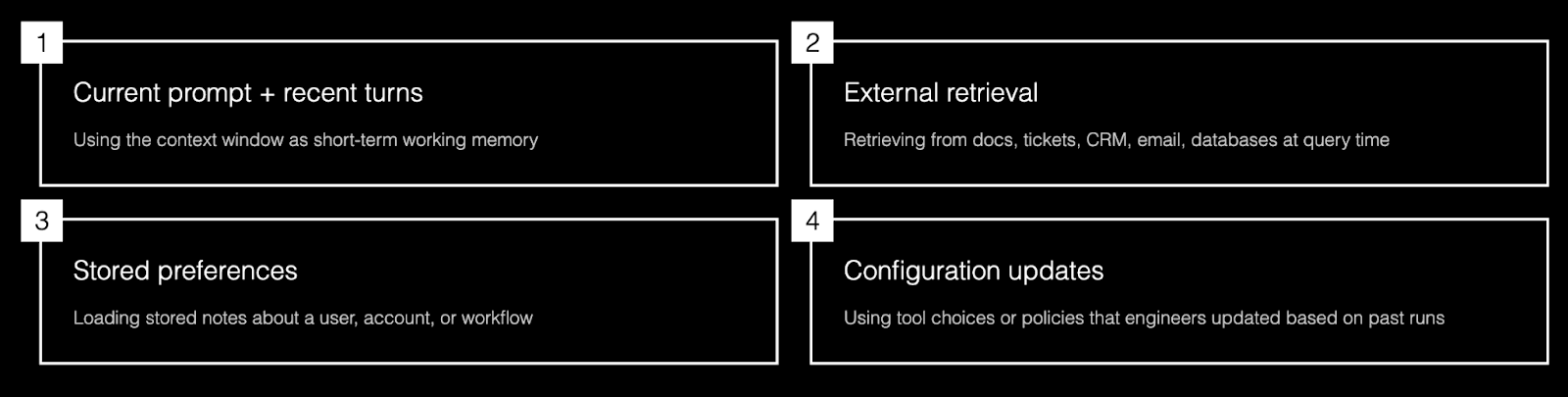
AI models do not automatically remember or update your company’s live data when you use them. Most of the time, what looks like “remembering” is one of these:
Using the current prompt and recent turns in the context window (so the maximum amount of recent text can consider at once to understand and respond to your current prompt) as short‑term working memory.
Retrieving relevant information from external systems (docs, tickets, CRM, email, databases) at query time.
Loading stored preferences or notes that the application decided to persist about a user, account, or workflow.
Using configuration, tool choices, or policies that engineers updated based on past runs or logs, not on‑the‑fly learning by the model itself.
When people say “memory” in an enterprise AI system, they usually mean:
The system can pull the right information from the right place at the right time (conversation, knowledge base, apps, or stored preferences).
The system can show or log where that information came from (source doc, system of record, timestamp), in line with access controls and policies.
That behavior is implemented with retrieval, state stores, and summaries around the model, not by the model changing its own weights on your data.
Enterprise memory ≠ chat history
Chat history is just a transcript of what was said.
Enterprise memory is a curated, structured state: things like user preferences, important facts, task state, and links to source systems that the application chooses to remember and reload later.

Good systems don’t just replay the entire chat history; they distill and selectively reuse what matters.
A simple analogy
Memory is like giving an employee secure access to the right filing cabinets, tools, and systems, plus a notebook of key facts and preferences.
It is not copying the entire company drive into their head or into every conversation. If you dump everything into every prompt, you get noise, higher risk, and more wrong or outdated answers.
Why AI memory is different in enterprises
In personal tools, “memory” is often a convenience feature that makes the experience feel smoother. In enterprises, “memory” is part of the risk surface and the reliability surface, because it touches sensitive data, permissions, and decision‑making.
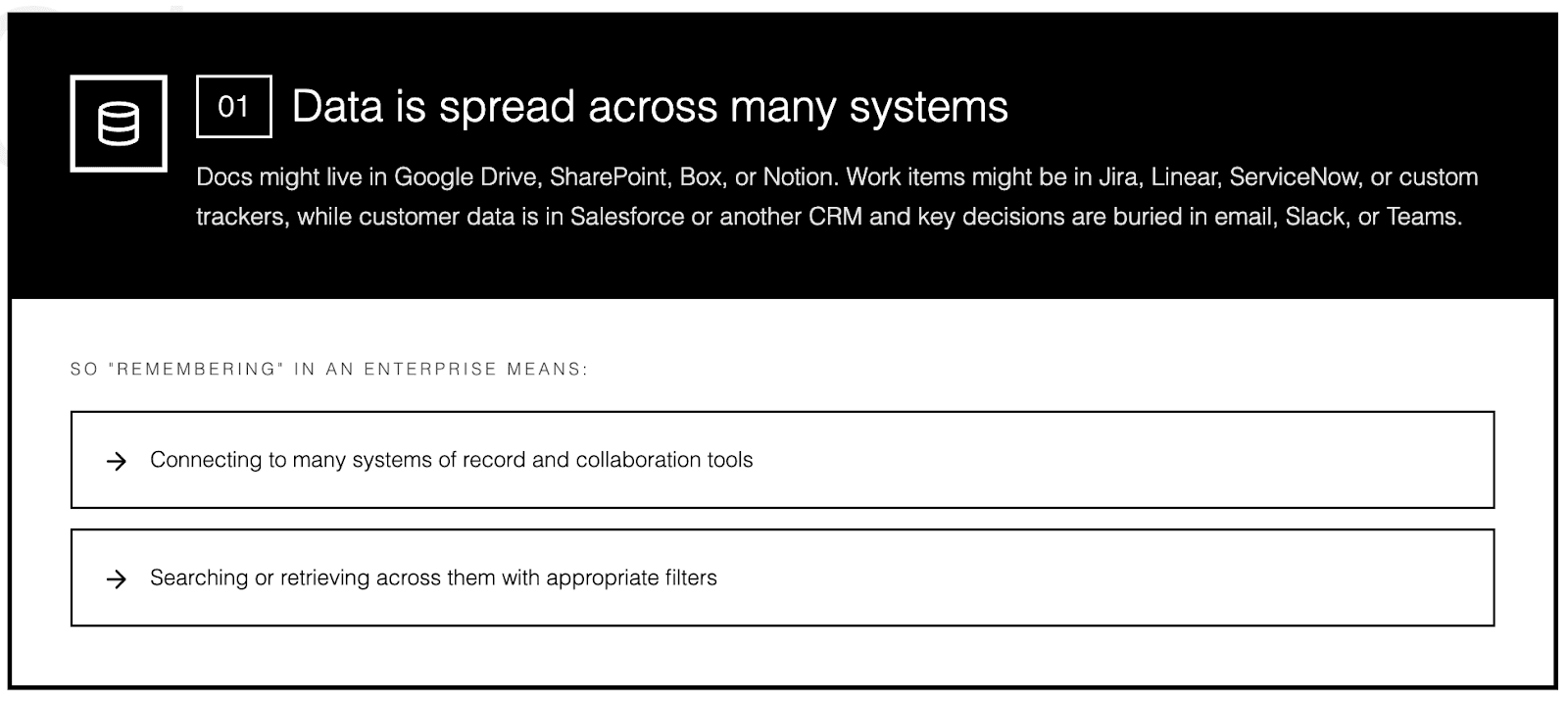
1) Data is spread across many systems
Docs might live in Google Drive, SharePoint, Box, or Notion. Work items might be in Jira, Linear, ServiceNow, or custom trackers, while customer data is in Salesforce or another CRM and key decisions are buried in email, Slack, or Teams.
So “remembering” in an enterprise means:
Connecting to many systems of record and collaboration tools.
Searching or retrieving across them with appropriate filters.
2) Not everyone can see everything
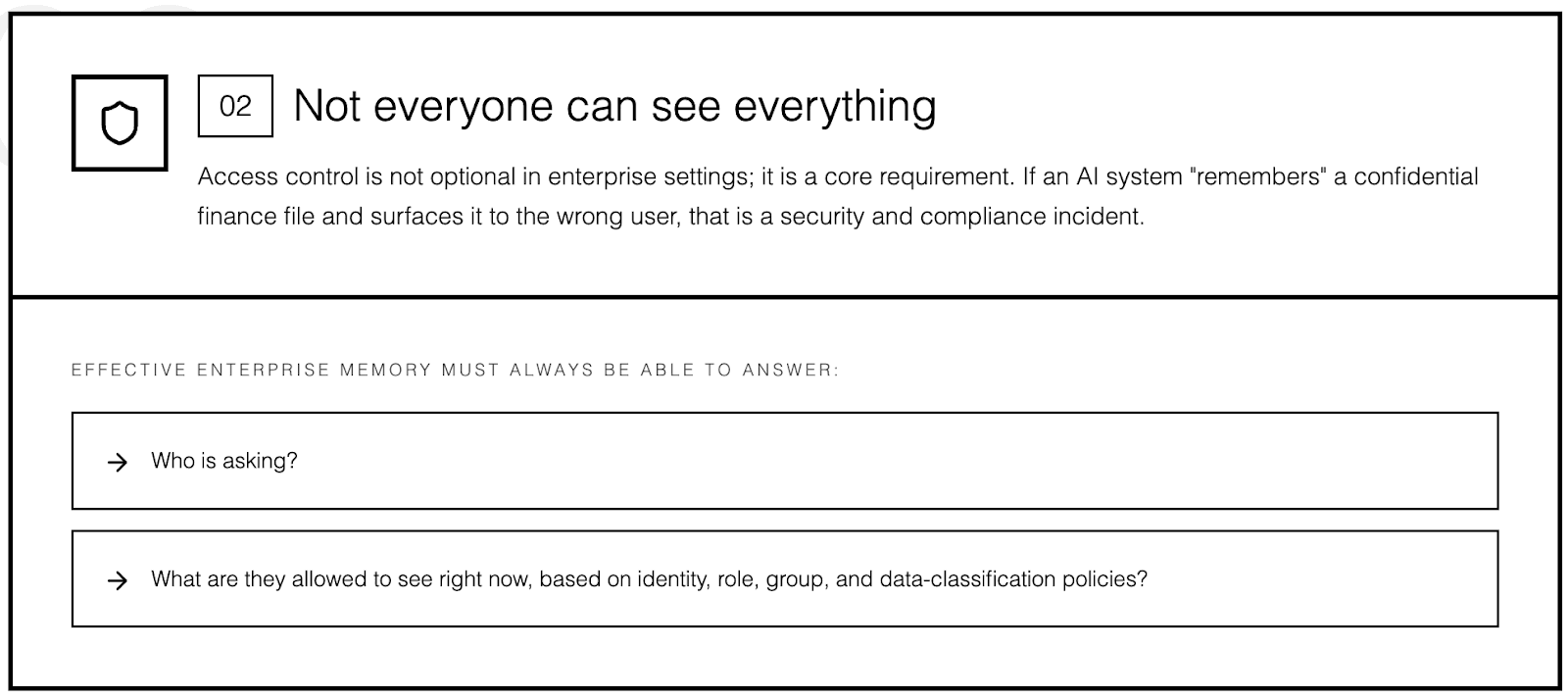
Access control is not optional in enterprise settings; it is a core requirement.
If an AI system “remembers” a confidential finance file and surfaces it to the wrong user, that is a security and compliance incident.
Effective enterprise memory must always be able to answer:
Who is asking?
What are they allowed to see right now, based on identity, role, group, and data‑classification policies?
3) Information changes constantly
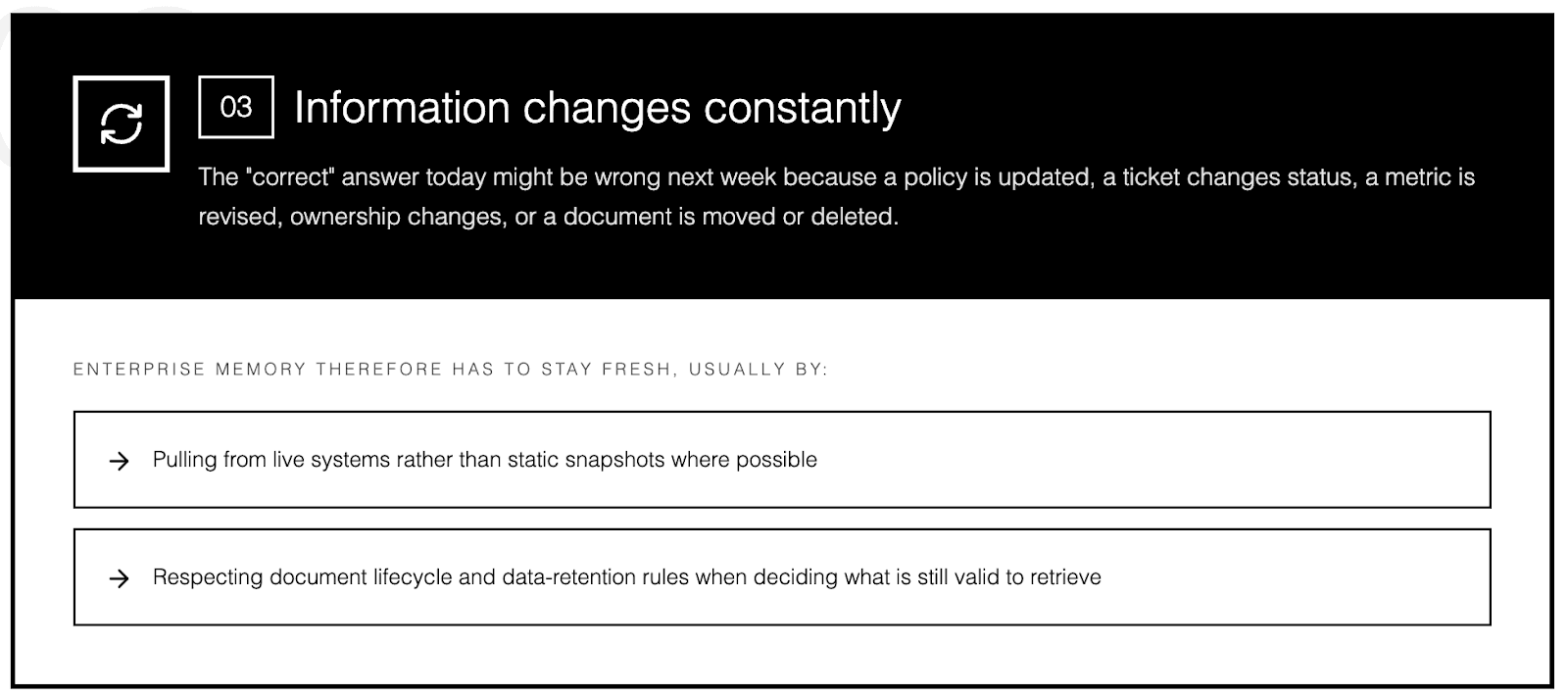
The “correct” answer today might be wrong next week because:
A policy is updated.
A ticket changes status or priority.
A metric, KPI, or definition is revised.
Ownership of an account or service changes.
A document is moved, archived, or deleted.
Enterprise memory therefore has to stay fresh, usually by:
Pulling from live systems rather than static snapshots where possible.
Respecting document lifecycle and data‑retention rules when deciding what is still valid to retrieve.
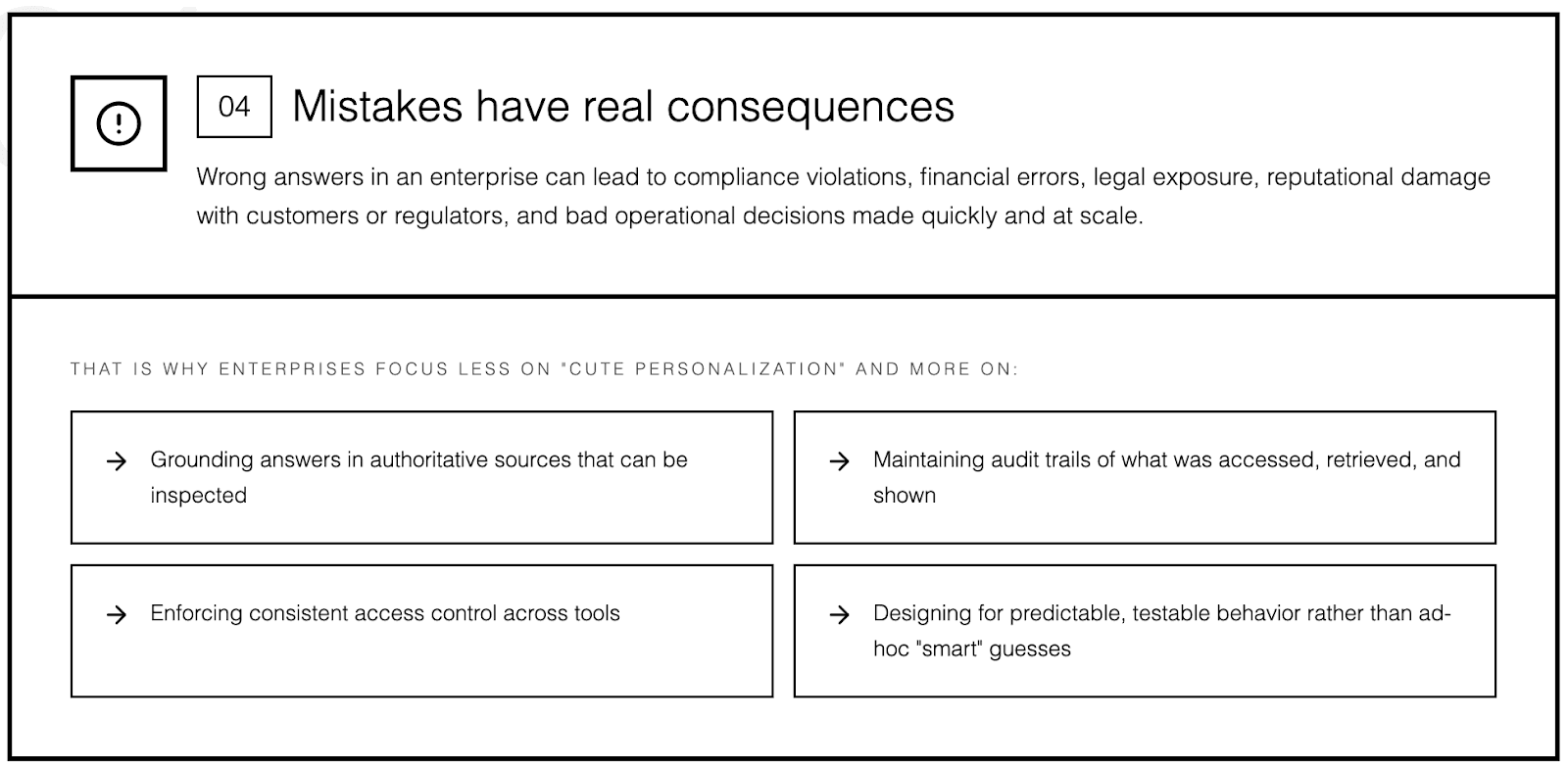
4) Mistakes have real consequences
Wrong answers in an enterprise can lead to:
Compliance violations or audit findings.
Financial errors and mis‑bookings.
Legal exposure from incorrect or misused information.
Reputational damage with customers or regulators.
Bad operational decisions made quickly and at scale.
That is why enterprises focus less on “cute personalization” and more on:
Grounding answers in authoritative sources that can be inspected.
Maintaining audit trails of what was accessed, retrieved, and shown.
Enforcing consistent access control across tools.
Designing for predictable, testable behavior rather than ad‑hoc “smart” guesses.
The common ways enterprises add “memory” (and why they struggle)
Most teams start with one of a few patterns. Each helps, but none is sufficient on its own for robust enterprise memory.
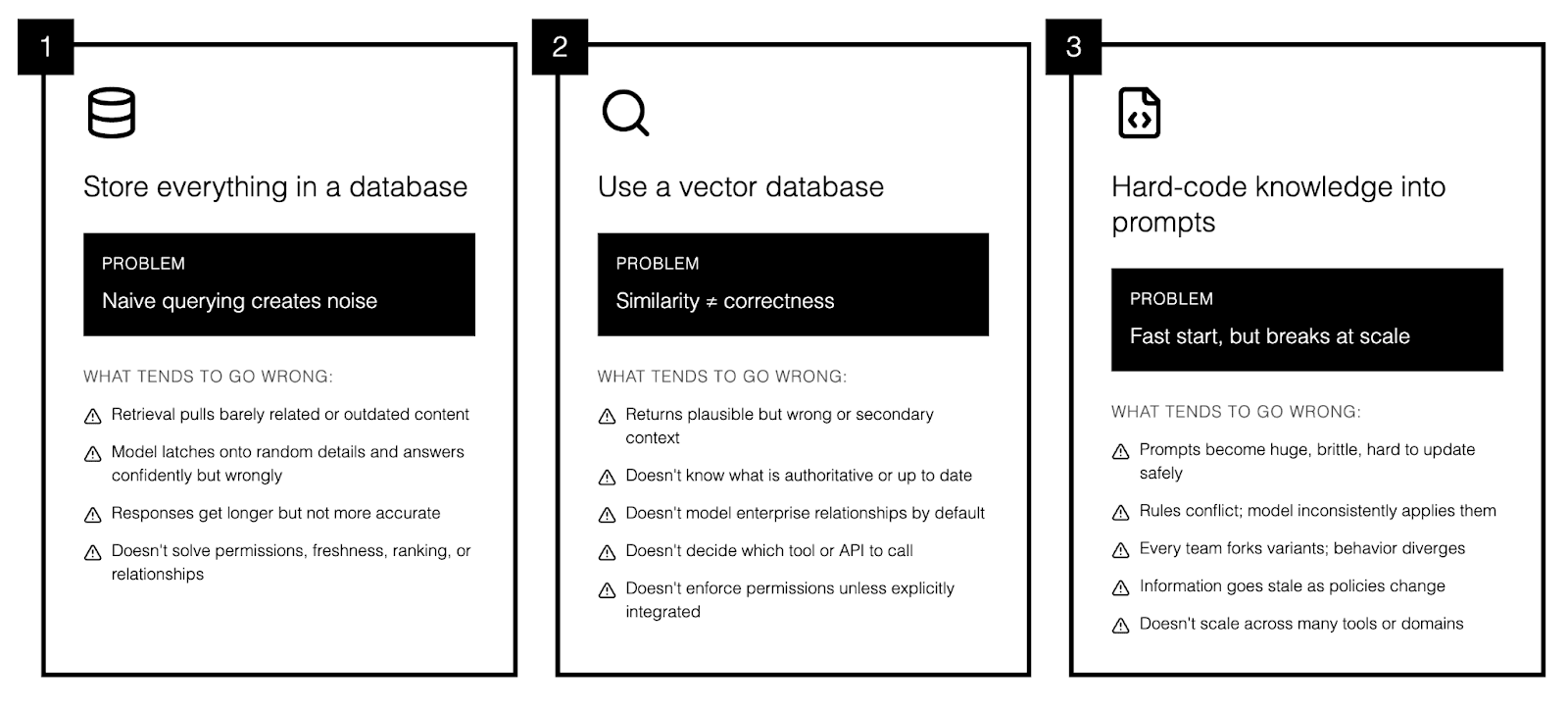
1) “Store everything in a database”
This sounds reasonable: collect company knowledge, store it, then query it when the model needs context. But in practice, most of what you store is irrelevant to any given question, and naïve querying makes that noise visible to the model.
What tends to go wrong:
Retrieval pulls barely related or outdated content instead of the best source.
The model latches onto a random detail from a long document and confidently answers from that.
Responses get longer but not more accurate, while costs rise from extra storage, bandwidth, and tokens.
And a generic “database of everything” still doesn’t solve:
Permissions: who is allowed to see which records.
Freshness: which data is current vs deprecated or archived.
Ranking: which document is the canonical source when many say similar things.
Relationships: how tickets, projects, systems, and owners connect in real workflows.
2) “Use a vector database”
A vector database stores text as embeddings so you can do semantic search (find “similar meaning” rather than exact keywords).It is a standard building block for retrieval‑augmented generation and works well for unstructured content.
Why it helps:
Can retrieve relevant passages even when the wording in the question and document differ.
Works well for large piles of docs, wikis, and notes without heavy schema design.
Lets you “bring your own knowledge” without retraining the base model.
Why it is not enough on its own:
Similarity search still returns plausible but wrong or secondary context if you do not layer ranking and filters on top.
It does not know what is authoritative or up to date; it just knows what is embedding‑similar.
It does not model complex enterprise relationships (systems, hierarchies, workflows) by default.
It does not decide which downstream tool, system, or API to call for live data.
It does not enforce permissions unless you explicitly integrate access control into the retrieval pipeline.
So vector search is a powerful component of memory, but it is only one piece of the architecture.
3) “Hard‑code knowledge into prompts”
This is the fast‑start approach:
Paste policies and procedures into a system prompt.
Add rules like “Always follow our process” and “Never do X with customer data.”
Add a large “company context” block that tries to cover every scenario.
Why teams do it:
Very quick to stand up a proof of concept.
Easy to demo with a single agent or workflow.
Avoids building an indexing and retrieval pipeline at the start.
Why it breaks over time:
Prompts become huge, brittle, and hard to reason about or update safely.
Rules conflict; the model sometimes ignores or inconsistently applies them under token pressure.
Every team forks its own prompt variant, so behavior diverges and governance gets messy.
Information in the prompt goes stale as policies, owners, and systems change.
It does not scale across many tools, domains, or use cases, because you cannot keep one giant prompt aligned with everything.
Treating prompts as the primary place to store “memory” is best viewed as technical debt and scaffolding: useful for early experiments, but something you want to replace with proper retrieval, policy, and memory layers as soon as you move toward production.
What good enterprise AI memory actually requires
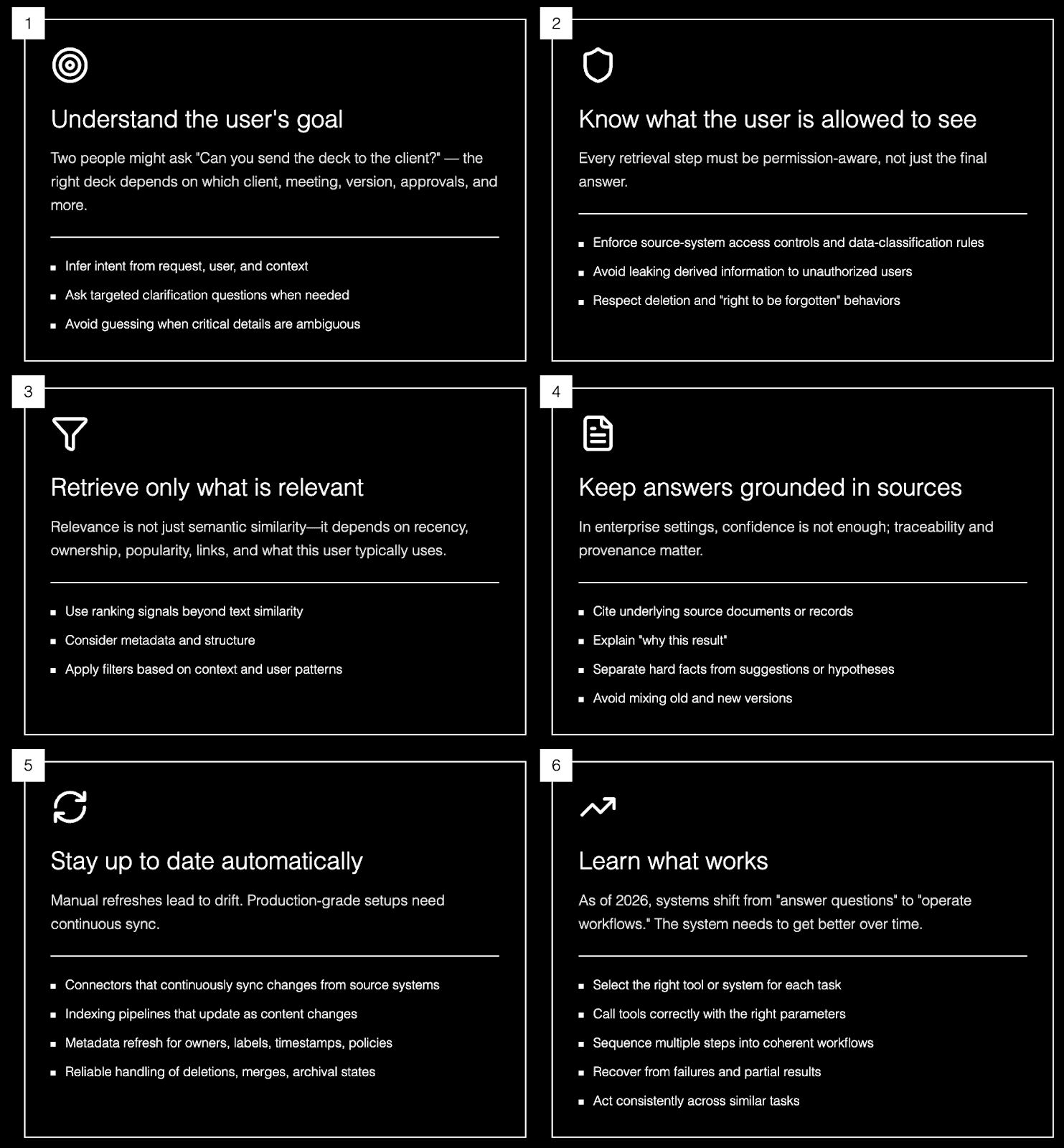
A solid enterprise memory setup needs these capabilities:
1) Understand the user’s goal
Two people might ask: “Can you send the deck to the client?”
The “right” deck depends on factors like:
Which client and which account team.
Which meeting or opportunity it relates to.
The latest version versus older drafts.
Internal‑only vs external‑safe versions.
Whether approvals have been completed.
A robust system therefore needs to:
Infer intent from the request, user, and context.
Ask targeted clarification questions when needed.
Avoid guessing when critical details are ambiguous.
2) Know what the user is allowed to see
Every retrieval step in an enterprise must be permission‑aware, not just the final answer.
That means the memory layer should:
Enforce source‑system access controls and data‑classification rules.
Avoid leaking derived information (summaries, extracted entities, embeddings) to users who lack rights to the underlying content.
Respect deletion and “right to be forgotten” behaviors when content is removed or access is revoked.
3) Retrieve only what is relevant
“Only retrieve what’s relevant” sounds obvious, but it is usually the hardest part.
In enterprises, relevance is not just semantic similarity; it depends on signals such as:
Recency and document freshness.
Ownership and team or functional responsibility.
Popularity and usage patterns (what people actually rely on).
Links between objects (ticket ↔ doc ↔ project ↔ system).
What this user or team typically uses for this task or customer.
Search and ranking teams have known for years that raw content alone is not enough; effective retrieval needs ranking structure and metadata, not just text.
4) Keep answers grounded in sources
In enterprise settings, confidence is not enough; traceability and provenance matter.
Good systems:
Cite underlying source documents or records, not just paraphrased text.
Explain “why this result” (e.g., which signals or filters made it relevant).
Separate hard facts from suggestions, hypotheses, or next‑best actions.
Avoid mixing old and new versions when policies or content have changed.
Retrieval‑augmented generation patterns support this by generating answers over live, authoritative context instead of relying solely on static training data.
5) Stay up to date automatically
If your “memory” relies on occasional manual refreshes, it will drift and quietly become wrong. A production‑grade setup needs:
Connectors that continuously or regularly sync changes from source systems.
Indexing pipelines that update as documents, tickets, and records change.
Metadata refresh for owners, labels, timestamps, and access policies.
Reliable handling of deletions, merges, and archival states.
6) Learn what works (tools, workflows, patterns)
As of 2026, many enterprise AI systems are going from “answer questions” to “operate workflows and processes.” For this, the system needs to get better over time at:
Selecting the right tool or system (CRM, ticketing, internal APIs, RPA, etc.).
Calling those tools correctly with the right parameters and context.
Sequencing multiple steps into a coherent, auditable workflow.
Recovering from failures, retries, and partial results.
Doing all of the above consistently across similar tasks.
Where MCP fits (and what it does not solve)
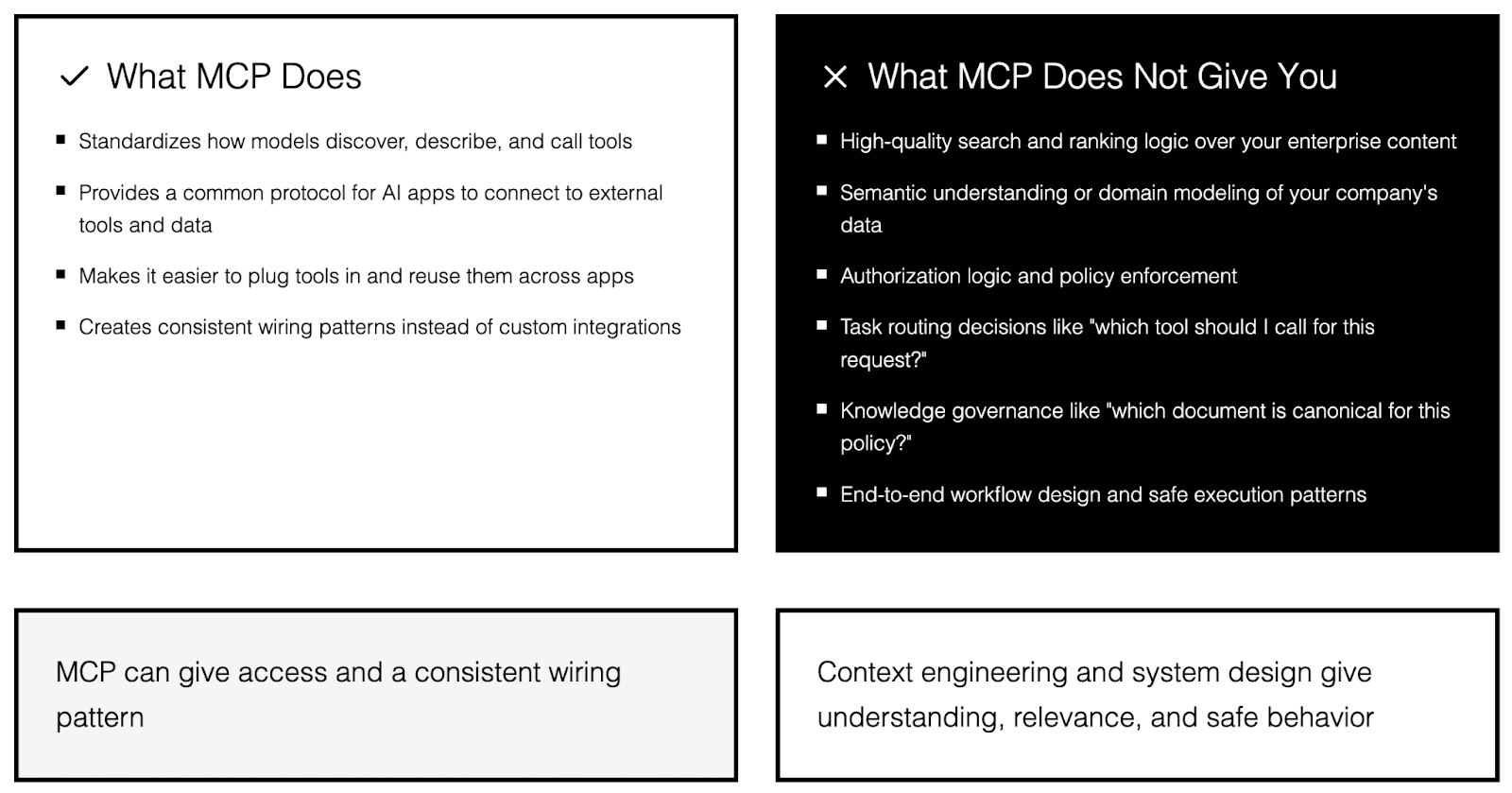
The Model Context Protocol (MCP) is an open standard for connecting AI applications to external tools and data sources, often described as a kind of “universal port” for AI apps. It focuses on standardizing how models discover, describe, and call tools and data providers, so you do not have to hand‑roll a new integration pattern for every model × tool pair.
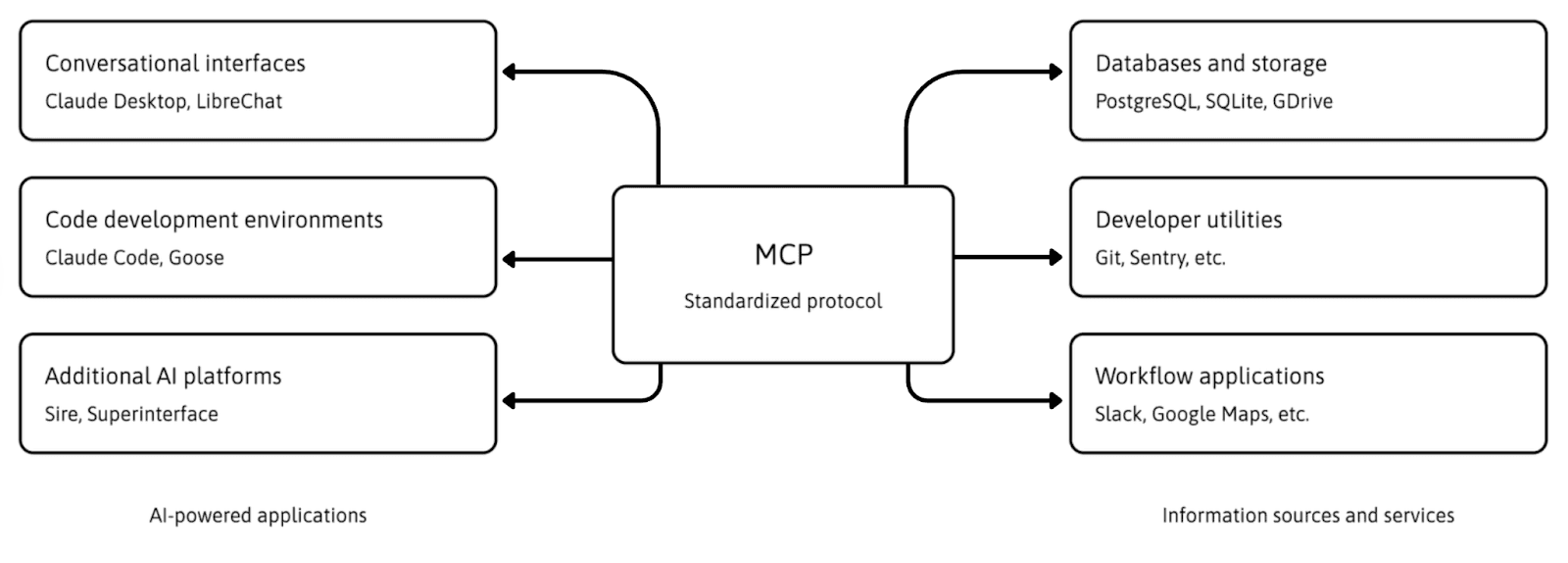
MCP helps with a real problem:
Without a common protocol, every integration between an AI app and an internal system, database, or API tends to be custom.
A shared protocol makes it easier to plug tools in, reuse them across apps, and reason about tool capabilities in a consistent way.
What MCP does not give you out of the box:
High‑quality search and ranking logic over your enterprise content.
Semantic understanding or domain modeling of your company’s data.
Authorization logic and policy enforcement; you still need to implement and test that correctly.
Task routing decisions like “which tool should I call for this request?”.
Knowledge governance like “which document is canonical for this policy?”.
End‑to‑end workflow design such as “how do we run this process safely in this environment?”.
So basically:
MCP can give access and a consistent wiring pattern.
Context engineering and system design give understanding, relevance, and safe behavior.
One thing to keep in mind is that MCP-based setups still inherit all the usual risks of tool‑using agents, such as prompt injection, over‑trusting tool output, and potential credential or token exposure if tools are misconfigured. Enterprises are responding by putting stricter controls around tool servers, scoping what tools can do, validating and sanitizing tool outputs, and treating external tool responses as untrusted inputs that must be checked rather than blindly executed.
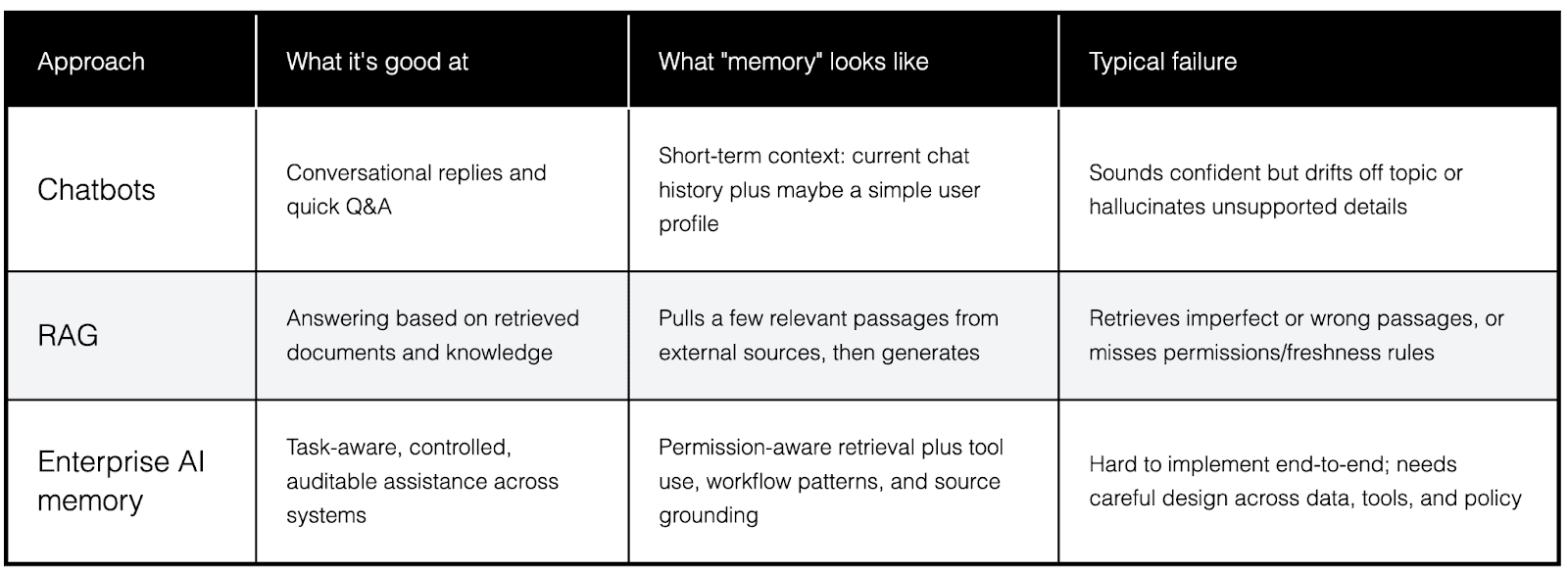
AI memory vs chatbots vs RAG
Here’s a clean way to separate some terms people mix up.
Three layers of “memory” in enterprise AI
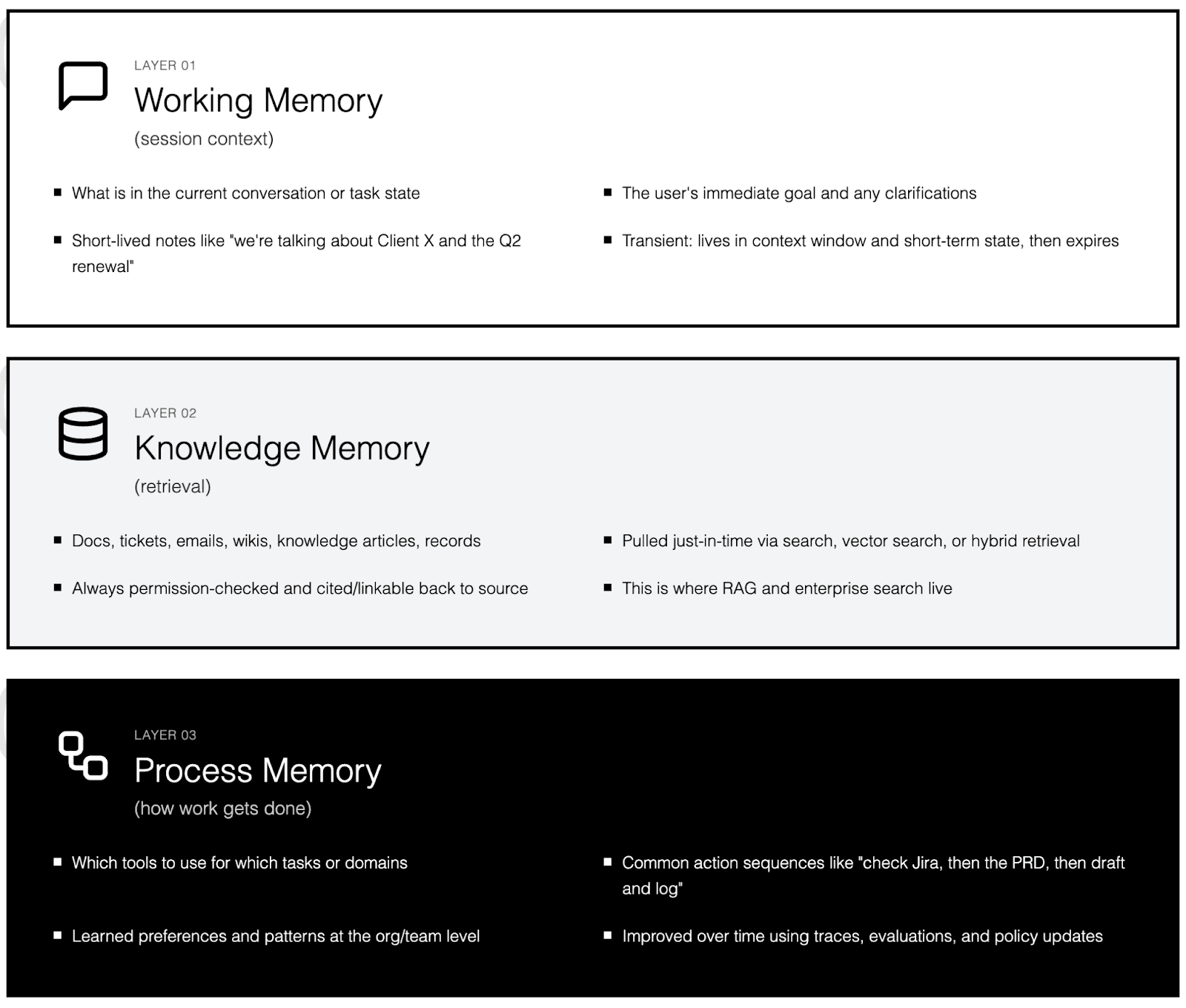
Thinking in layers matches how mature enterprise systems are actually built in 2026.
Layer 1: Working memory (session context)
What is in the current conversation or task state.
The user’s immediate goal and any clarifications just collected.
Short‑lived notes like “we’re talking about Client X and the Q2 renewal.”
This is transient: it lives in the context window and short‑term state, then expires.
Layer 2: Knowledge memory (retrieval)
Docs, tickets, emails, wikis, knowledge articles, records.
Pulled just‑in‑time via search, vector search, or hybrid retrieval.
Always permission‑checked and, in good systems, cited or linkable back to the source.
This is where RAG and enterprise search live: structured ways to bring in the right external knowledge at the right moment.
Layer 3: Process memory (how work gets done)
Which tools to use for which tasks or domains.
Common action sequences, such as “check Jira, then the PRD, then draft and log a summary.”
Learned preferences and patterns at the org/team level (how this company likes things done).
Improved over time using traces, evaluations, and policy updates rather than just more documents.
Why enterprise AI memory matters so much in 2026
AI is moving from answering questions to reliably running parts of core workflows, which raises both value and risk.
AI is moving from Q&A to workflows
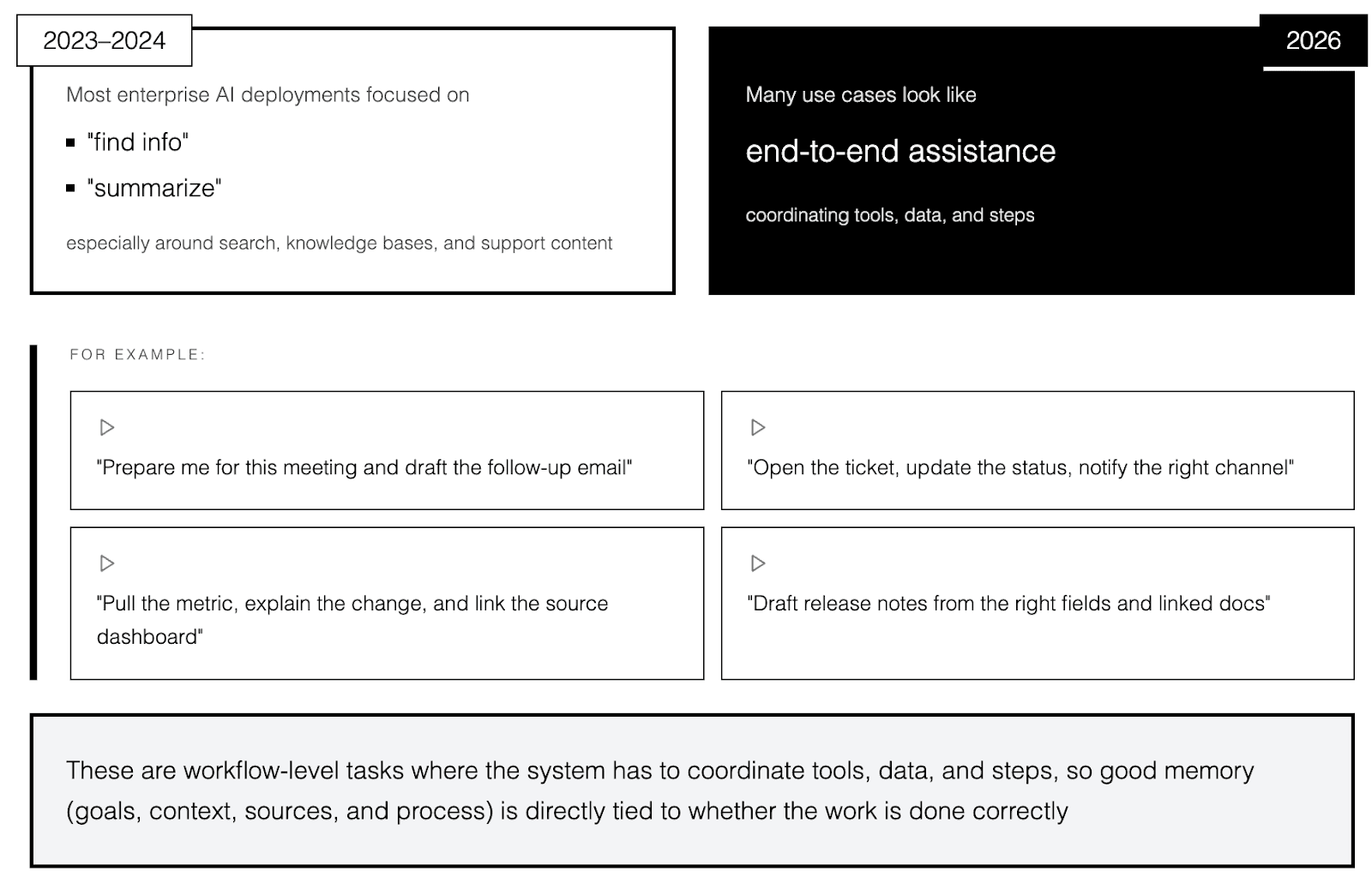
In 2023 to 2024, most enterprise AI deployments focused on “find info” and “summarize,” especially around search, knowledge bases, and support content.
In 2026, many use cases will look more like end‑to‑end assistance, for example:
“Prepare me for this meeting and draft the follow‑up email.”
“Open the ticket, update the status, notify the right channel.”
“Pull the metric, explain the change, and link the source dashboard.”
“Draft release notes from the right fields and linked docs.”
These are workflow‑level tasks where the system has to coordinate tools, data, and steps, so good memory (goals, context, sources, and process) is directly tied to whether the work is done correctly.
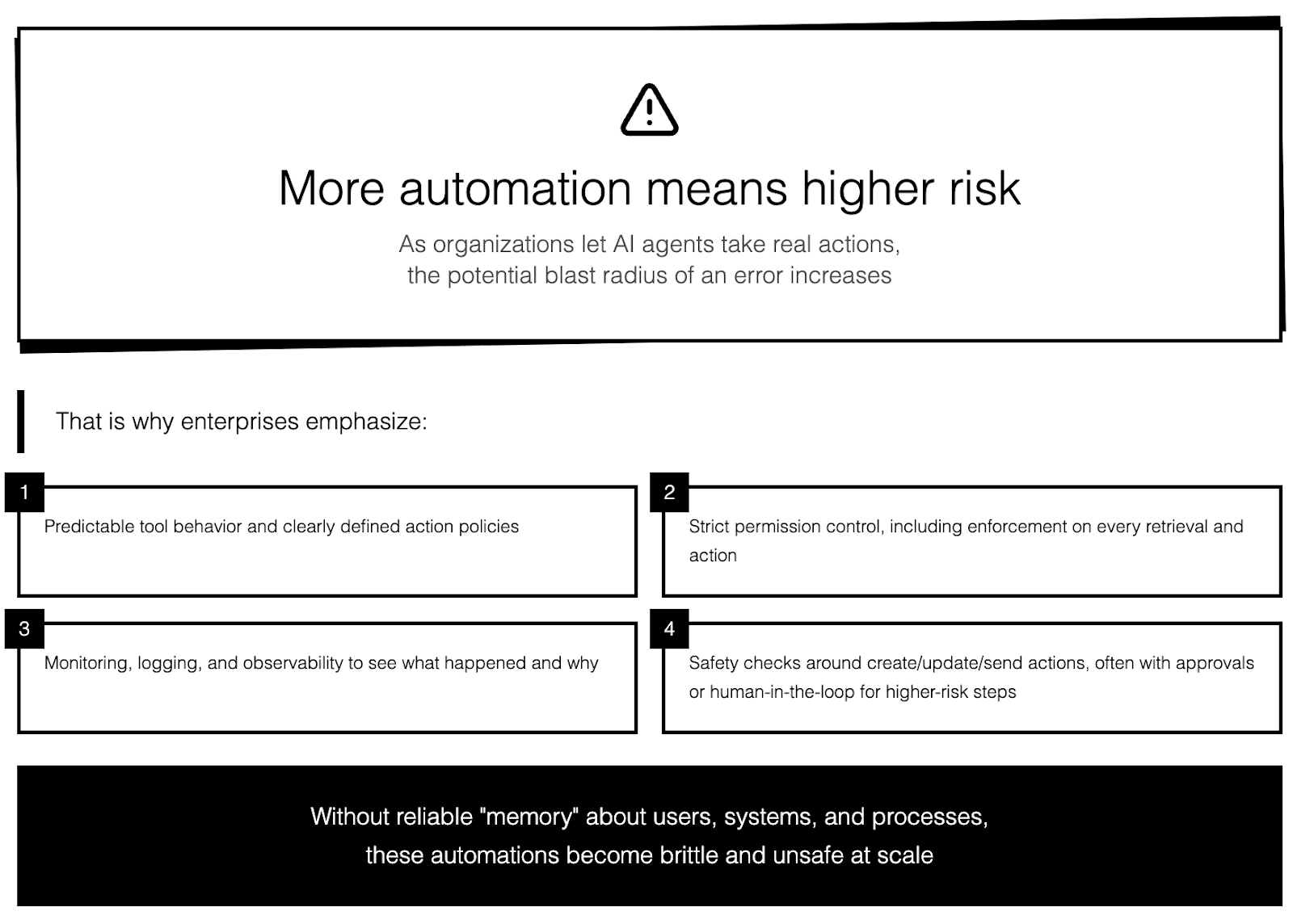
More automation means higher risk
As organizations let AI agents take real actions the potential blast radius of an error increases. That is why enterprises emphasize:
Predictable tool behavior and clearly defined action policies.
Strict permission control, including enforcement on every retrieval and action.
Monitoring, logging, and observability to see what happened and why.
Safety checks around create/update/send actions, often with approvals or human‑in‑the‑loop for higher‑risk steps.
Without reliable “memory” about users, systems, and processes, these automations become brittle and unsafe at scale.
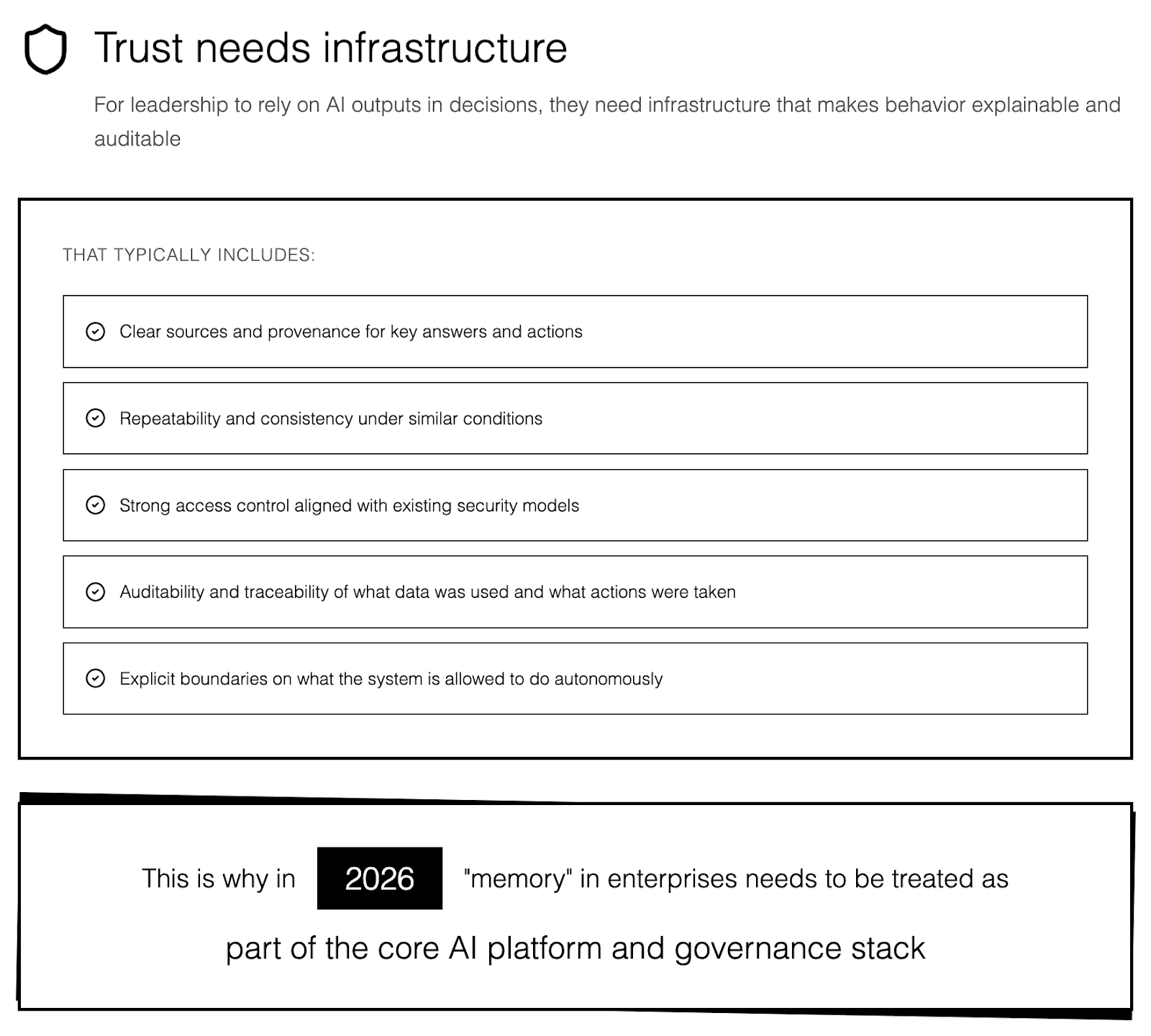
Trust needs infrastructure
For leadership to rely on AI outputs in decisions, they need infrastructure that makes behavior explainable and auditable. That typically includes:
Clear sources and provenance for key answers and actions.
Repeatability and consistency under similar conditions.
Strong access control aligned with existing security models.
Auditability and traceability of what data was used and what actions were taken.
Explicit boundaries on what the system is allowed to do autonomously.
This is why in 2026 “memory” in enterprises needs to be treated as part of the core AI platform and governance stack.
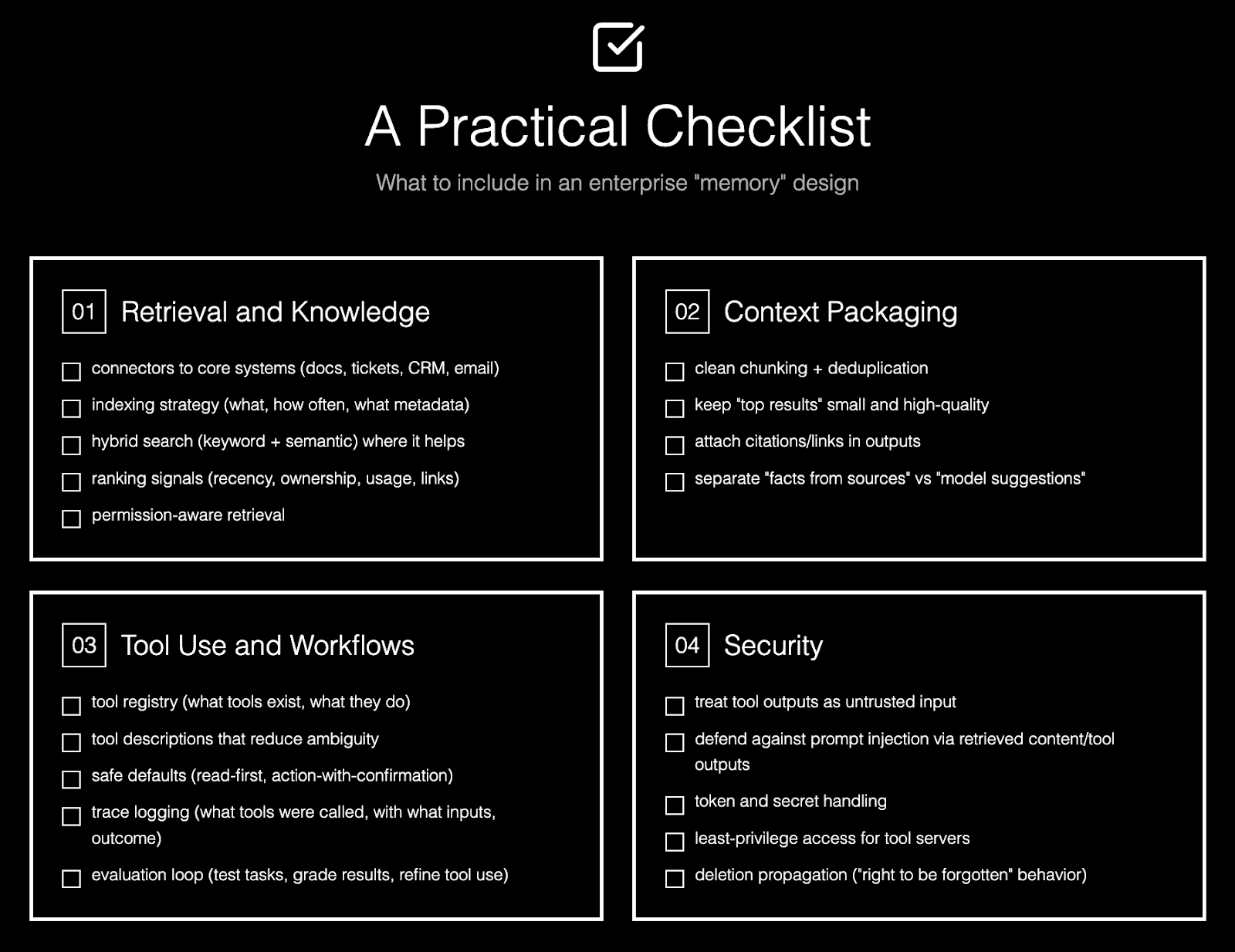
A practical checklist: what to include in an enterprise “memory” design
If you want a simple “what should we build?” list, this is it.
Retrieval and knowledge
✅ connectors to core systems (docs, tickets, CRM, email)
✅ indexing strategy (what, how often, what metadata)
✅ hybrid search (keyword + semantic) where it helps
✅ ranking signals (recency, ownership, usage, links)
✅ permission-aware retrieval
Context packaging
✅ clean chunking + deduplication
✅ keep “top results” small and high-quality
✅ attach citations/links in outputs
✅ separate “facts from sources” vs “model suggestions”
Tool use and workflows
✅ tool registry (what tools exist, what they do)
✅ tool descriptions that reduce ambiguity
✅ safe defaults (read-first, action-with-confirmation)
✅ trace logging (what tools were called, with what inputs, outcome)
✅ evaluation loop (test tasks, grade results, refine tool use)
Security
✅ treat tool outputs as untrusted input
✅ defend against prompt injection via retrieved content/tool outputs
✅ token and secret handling
✅ least-privilege access for tool servers
✅ deletion propagation (“right to be forgotten” behavior)
MCP can help standardize the tool plumbing, but you still need the design work around search, permissions, and safe tool execution!
Common failure modes (so you can avoid them)
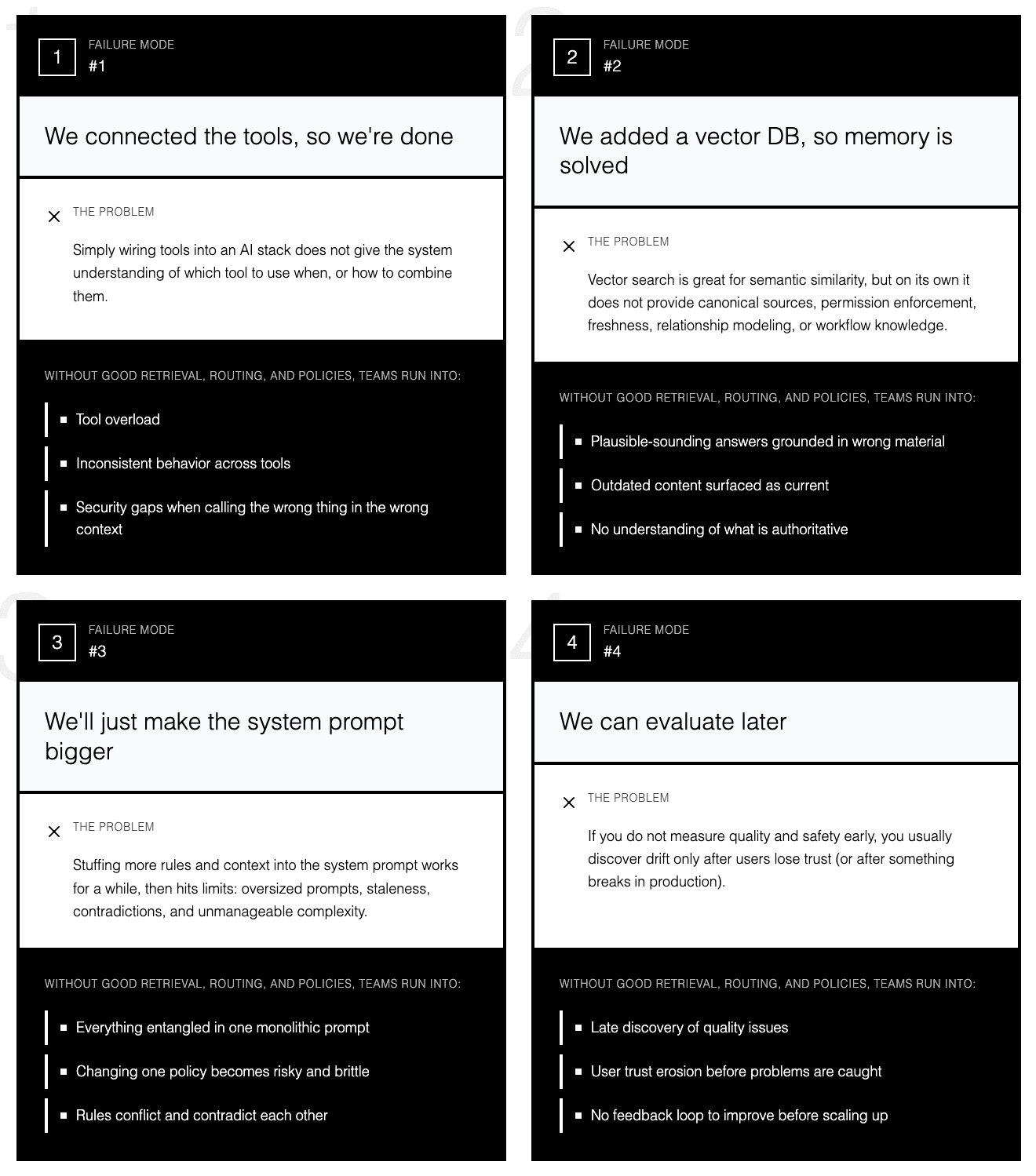
Failure mode 1: “We connected the tools, so we’re done”
Simply wiring tools into an AI stack does not give the system understanding of which tool to use when, or how to combine them.
Without good retrieval, routing, and policies, teams run into tool overload, inconsistent behavior across tools, and security gaps when calling the wrong thing in the wrong context.
Failure mode 2: “We added a vector DB, so memory is solved”
Vector search is great for semantic similarity, but on its own it does not provide canonical sources, permission enforcement, freshness, relationship modeling, or workflow knowledge.
Treating “we have embeddings” as “we have memory” leads to plausible‑sounding answers grounded in the wrong—or outdated—material.
Failure mode 3: “We’ll just make the system prompt bigger”
Stuffing more rules and context into the system prompt works for a while, then hits limits: oversized prompts, staleness, contradictions, and unmanageable complexity.
At that point, changing one policy or domain behavior becomes risky and brittle, because everything is entangled in one monolithic prompt.
Failure mode 4: “We can evaluate later”
If you do not measure quality and safety early, you usually discover drift only after users lose trust (or after something breaks in production).
Even lightweight evaluation—real tasks with expected outcomes, checks for citation correctness, permission leakage, latency, and cost—gives fast feedback and makes it much easier to improve memory, retrieval, and tool behavior before scaling up.
Where this is heading next
A few trends are pretty clear in 2026:
Tool ecosystems are standardizing. Open, MCP‑style protocols for describing and calling tools are spreading across IDEs, agent frameworks, and cloud platforms, reducing one‑off integration work and making tools more reusable across apps.
Enterprises want fewer “chatbots” and more “operators.” Buyer guides and platform roadmaps increasingly emphasize agents that can execute guarded workflows end‑to‑end—opening tickets, updating records, and orchestrating systems—rather than just answering questions.
Memory is splitting into two tracks. Teams distinguish more clearly between:
Knowledge memory: retrieval over org data (docs, tickets, dashboards) with permissions and freshness.
Process memory: patterns for which tools to use, in what order, with what checks, learned from traces and evaluations.
Security is tightening around tools and retrieved content. As agents gain more action rights, guidance now stresses treating tool outputs and retrieved text as untrusted input, defending against prompt injection, and hardening the infrastructure and policies around tool execution.

Final takeaway
In 2026, “AI memory” is about the surrounding system doing five things well:
Understanding the user’s goal, not just the literal wording.
Enforcing permissions at every retrieval and action step.
Retrieving only the right, relevant context for the task.
Grounding answers and actions in clear, inspectable sources.
Executing workflows safely, and learning from real usage over time.
Want to see how you can build AI agents with enterprise-ready memory? Get a demo here.

Ana Rojo-Echeburúa
Growth at StackAI
Mathematician turned AI consultant and educator. Passionate about helping businesses and individuals use data, cloud, and AI to solve real-world problems.





